ROME upgrade failed and cannot boot anymore

Hello,

Requirements:

I have Searched the forum for my issue and found nothing related or helpful
I have checked the Resources category (Resources Index)
I have reviewed the Wiki for relevant information
I have read the the Release Notes and Errata

OpenMandriva Lx version:
Hard to do, since I cannot boot, but it is ROME znver

Desktop environment (KDE, LXQT…):
KDE
Description of the issue (screenshots if relevant):
see below

Relevant informations (hardware involved, software version, logs or output…):

  • ASUS ROG Zephyrus G15 laptop (I think 2021) with a ryzen CPU and a Nvidia RTX 3080
  • LUKS encrypted drive with a second OS partition on it (arch)
  • another drive with Windows on it

Hello,

I tried to update my Rome installation yesterday. It was running quite smoothly for months and I waited to make sure, no major issues appear on the forum after the UM. I decided on thursday to make the upgrade on friday and I did and everything stopped working.

I did the upgrade and it suddenly stopped and got me a black screen. I switched tty and tried logging in, but it did not work and immediately put me back to the tty login. After a few minutes it suddenly worked and I was at tty. I tried startx, but that did not work and since I had no idea what to do, I rebooted. This was quite a bad idea though.

It did not boot. After grub it got stuck at “Loading initial ramdisk”. I rebooted and tried the old kernel that was running fine before, but same issue. Then I tried a snapshot before the upgrade and same issue.

So i guessed I had to run dracut and booted into the live cd and chrooted into my installation. I saw in the upgrade logs that it got stuck at “Running scriptlet: plasma6-sddm-0.21.0-2.znver1” (this was the last line in the log) and then I run dracut --force --regenerate-all, but it was not happy and got me errors. It had two systemd versions and I reinstalled the newer systemd 258.2-1, but dracut was still not happy.

Here is the dsync log of the upgrade:
dsync2-log.txt (603.7 KB)

Here is a photo of the error
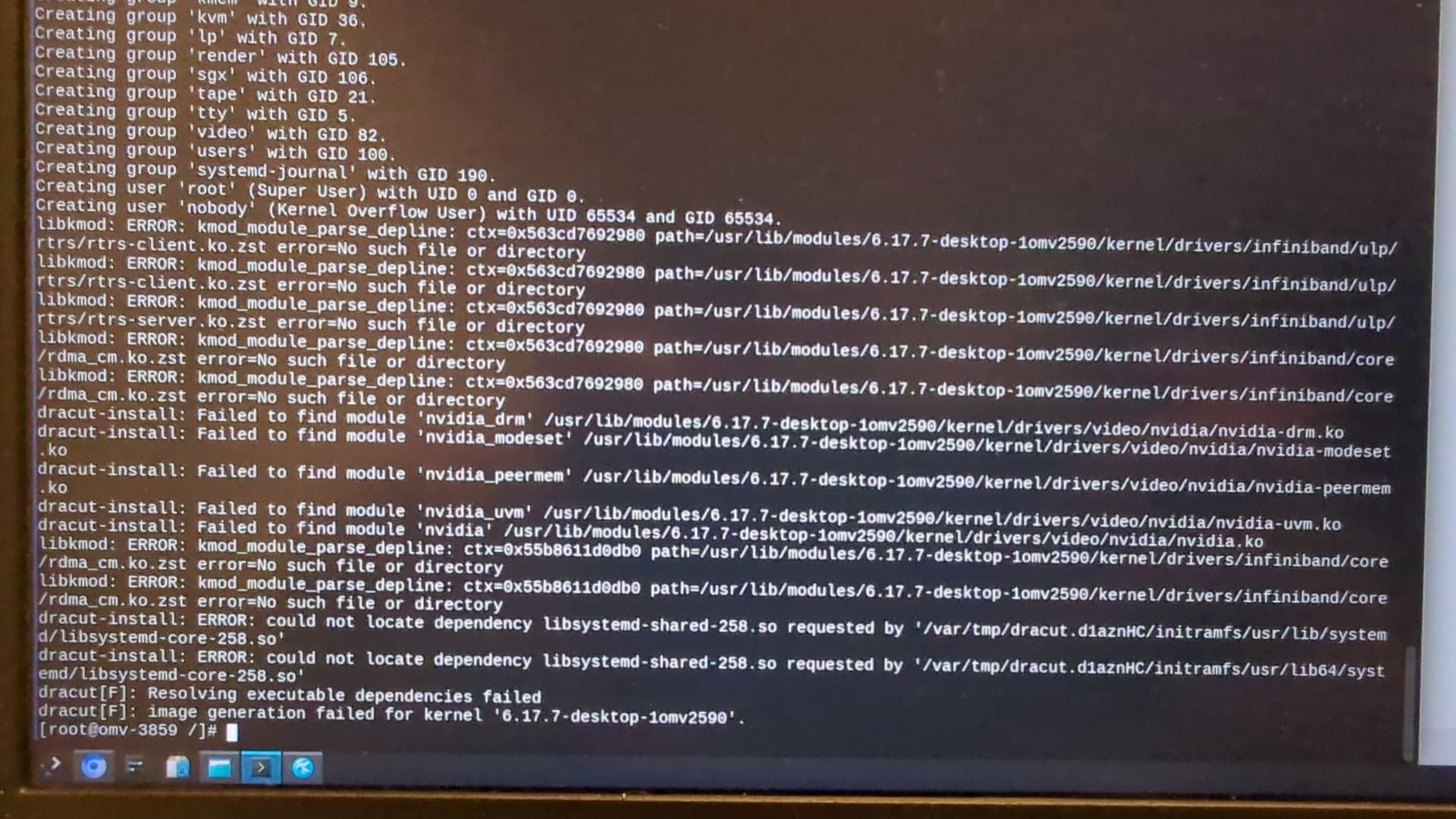
I asked in the OpenMandriva chat on Matrix and zeroability said that someone has the same issue and I had to remove the broken stuff and plasma6-sddm. I read the other forum posts that seem related and removed plasma6-sddm and enabled sddm. Still not working.

I then did a dnf checkand it had around 1400 problems. Then I did the dsync again, which removed 755 packages, which seemed to be all the old versions. And after that the check had only 34 problems left.

These are the packages that got removed
dsync_removals.txt (208.0 KB)

and here is a photo showing the remaining 34 problems
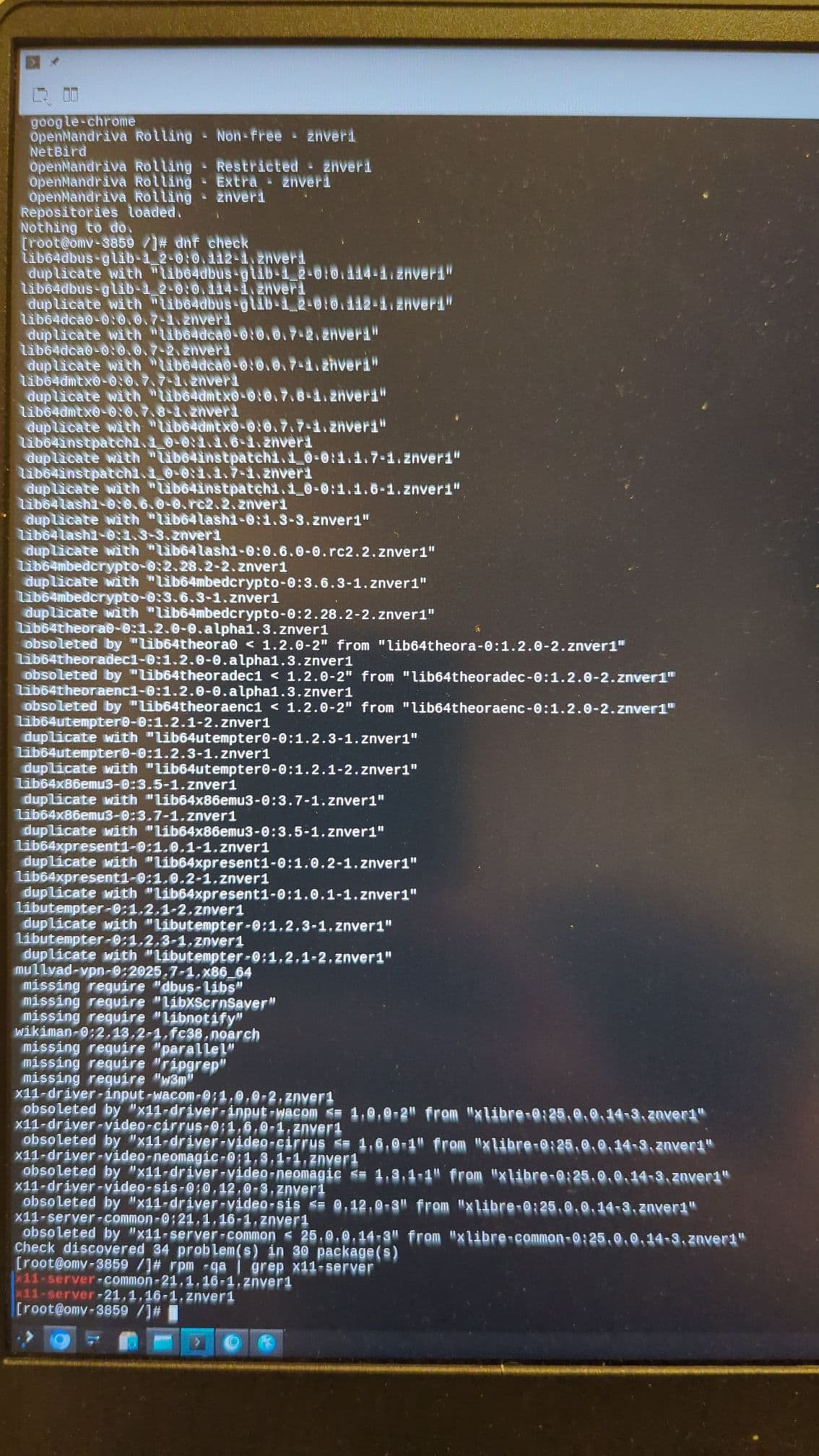
But dracut still didn’t work
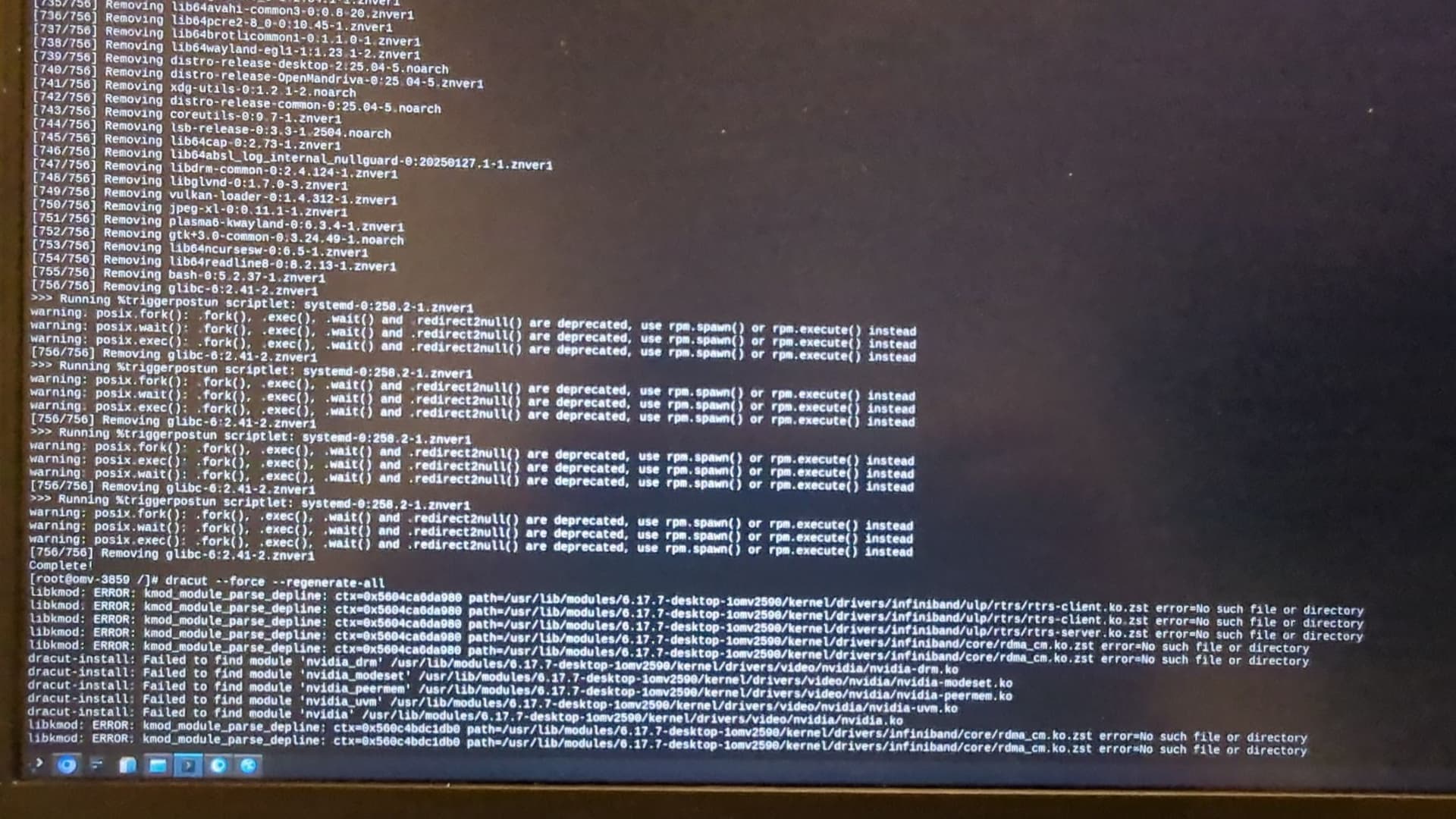
I manually removed the conflicting old version packages and run dracut and finally it was successful and I also did grub2-mkconfig. But when I booted, it was still stuck at Loading initial ramdisk…

With the help of an AI I got with some boot flags the information that it is stuck at the step “EFI stub: Measured initrd data into PCR 9” when Loading the initial ramdisk. I do not know what to do with this information or how to go on now.

The AI thinks that it might be something security related like TPM or Secure Boot or so. But I have Secure Boot disabled and have no option to disable TPM in BIOS. And it worked before the upgrade, so I do not know if this is correct.

I tried to get the information about the EFI stub again, but I cannot get it to show again. Maybe I just mistyped a command? But it is definitely stuck at “Loading initial ramdisk”. If anyone has an idea how I can make it show what is going on or what the problem is, I will try it out. It is just a might cumbersome since every try takes a minute or two because of the encryption. I tried all kinds of combinations with:

  • Remove quiet and splash
  • nomodeset
  • rd.debug
  • rd.shell rd.break=pre-mount
  • dis_ucode_ldr
  • clearcpuid=mtrr
  • clearcpuid=bit=0x23
  • iommu=soft

but no changes.

All of this seems related to these other two forum posts:

and

as I have kinda the same symptoms, but it is still a bit different and thus I created a new thread with the steps I took until now and the hope to get help.

PS: You should include in your templates to switch to the Markdown editor to make an x inside the brackets for the checkboxes. I had to look for a few seconds until I realized this and I think a lot of newcomers do not now this.

edit: Something unrelated: It seems dislocker needs a rebuild, there are conflicts when it is installed. I uninstalled it for now.

First I may have missed it but I do not see what command you used to upgrade. This is critical information for this type of problem.

Based on the dnf log and dnf removal log looks like sddm got installed and plasma6-sddm was not removed. Also looks like the script Running scriptlet: plasma6-sddm-0.21.0-2.znver1 was running and for some reason stopped before the kernel script got done.

A guess:

Boot to previous kernel, not 6.17.7-1, in console mode. Login as root.

Run:

dnf rm plasma6-sddm kernel-desktop-6.17.7-1

That should remove kernel-desktop-6.17.7-1 and maybe also remove obsolete plasma6-sddm.

dnf up kernel-desktop --refresh

That should install kernel-desktop-6.17.7-1 properly.

dnf reinstall sddm --allowerasing

Just a precaution to be sure all got installed correctly.

systemctl enable sddm

To enable sddm service.

reboot

If we are lucky and if I understood correctly what I have read so far this should work.

Thank you for your help ben!

For upgrade I used

Yes, I came to the same conclusion.

The command I used should have been sudo dnf clean all; dnf clean all; sudo dnf distro-sync --refresh --allowerasing > dsync2.log; sudo flatpak update

I already tried the previous kernel, as written in my initial post

I rebooted and tried the old kernel that was running fine before, but same issue.

I cannot boot from any kernel and I am stuck at “Loading initial ramdisk” after grub, but before I get any console or login screen and no TTY.

I already deleted plasma6-sddm, as written in my initial post. I tried removing the old kernel (although that should make no difference, when I already boot into the old kernel), but it says it cannot, because would delete the running kernel (I have am chrooted into my system). I reinstalled it though, which worked.

Here the log
reinstalling.txt (13.7 KB)

But still same issue. I think I already tried all your recommendations, but followed them again to be sure.

I think mine is a bit different than the other threads, since they an boot successfully and have issues with plasma or sddm, but I cannot - mine stops right before that.

Maybe I did the chroot wrong for this system with btrfs and luks? What would be the correct way to chroot?

I did

mount -o subvol=@,noatime /dev/mapper/luks-some-weird-uid /mnt
mount -o subvol=@boot,noatime /dev/mapper/luks-some-weird-uid /mnt/boot

mount --bind /sys /mnt/sys
mount --bind /proc /mnt/proc
mount --bind /dev /mnt/dev
mount --bind /run /mnt/run
mount --bind /sys/firmware/efi/efivars /mnt/sys/firmware/efi/efivars

chroot /mnt /bin/bash
source /etc/profile

And this is my entry in the grub.cfg. Maybe there is something wrong (of course there are also the other entries for the different modes and other kernels).

menuentry 'OpenMandriva Lx' --class openmandriva --class gnu-linux --class gnu --class os $menuentry_id_option 'gnulinux-simple-bd8a6027-bb7d-4e61-b9c0-0d5348b1f393' {
	load_video
	set gfxpayload=keep
	insmod gzio
	insmod part_gpt
	insmod cryptodisk
	insmod luks
	insmod gcry_rijndael
	insmod gcry_rijndael
	insmod gcry_sha256
	insmod btrfs
	cryptomount -u 38ba9f6e-c264-4b67-8b48-142f7fcafd2a
	set root='cryptouuid/38ba9f6ec2644b678b48142f7fcafd2a'
	if [ x$feature_platform_search_hint = xy ]; then
	  search --no-floppy --fs-uuid --set=root --hint='cryptouuid/38ba9f6ec2644b678b48142f7fcafd2a'  bd8a6027-bb7d-4e61-b9c0-0d5348b1f393
	else
	  search --no-floppy --fs-uuid --set=root bd8a6027-bb7d-4e61-b9c0-0d5348b1f393
	fi
	echo	'Loading Linux 6.17.7-desktop-1omv2590 ...'
	linux	/@boot/vmlinuz-6.17.7-desktop-1omv2590 root=UUID=bd8a6027-bb7d-4e61-b9c0-0d5348b1f393 ro rootflags=subvol=@  nouveau.modeset=0 quiet rd.luks.uuid=38ba9f6e-c264-4b67-8b48-142f7fcafd2a splash logo.nologo audit=0 rd.timeout=30 dm_mod.use_blk_mq=1 rd.systemd.show_status=0 systemd.show_status=1 resume=UUID=a7170c7f-22de-43dc-ac76-8d4c44f744e1 amdgpu.runpm=0 amdgpu.dc=0
	echo	'Loading initial ramdisk ...'
	initrd	/@boot/initrd-6.17.7-desktop-1omv2590.img
}

I thought I had made this clear. To remove kernel-desktop-6.17.7-1 you have to boot in to a different usually older kernel. Obviously you can’t remove the working kernel.

The reinstalling.txt log shows:

>>> Error! Bad return status for module build on kernel: 6.17.7-desktop-1omv2590 (znver1)

So obviously that will not work. Maybe removing that kernel and installing again fresh will work, but I am suspecting there may be a deeper problem.

I cannot boot. No matter what kernel. I am chrooted into the system from the live cd.

Try sudo dnf in kernel-server and see if that installs properly.

Your first photo shows “No such file or directory” for /usr/lib/modules/6.17.7-desktop-1omv2590. If that means the system can not access /usr/lib/modules that would be pretty broken. You would need someone like @bero to fix that if it can be fixed. A kernel without modules is useless.

Good idea with the server kernel. Unfortunately same issue when I select it in grub and then it is stuck at Loading initial ramdisk.

Here the log of the installation:
kernel-server.txt (9.2 KB)

The folder /usr/lib/modules/6.17.7-desktop-1omv2590 exists, I checked it. but the subfolder it complained about did not. Although after removing the conflicting packages, dracut gave no more error, so I ignored it and thought the conflict was the reason for this.

The output for install of kernel-server looks normal except for this:

grub2-probe: error: cannot find a GRUB drive for /dev/sda2. Check your device.map.

Unless you are booting from that drive it should not matter. Are you sure you booted in to kernel-server.

Am starting to suspect or speculate something to do with luks or possibly btrfs. I do not use either of those.

Anyway I see the following which looks like it should work:

Generating grub configuration file …

Found linux image: /boot/vmlinuz-6.17.7-server-1omv2590
Found initrd image: /boot/initrd-6.17.7-server-1omv2590.img

Found Windows Boot Manager on /dev/nvme1n1p1@/efi/Microsoft/Boot/bootmgfw.efi
Adding boot menu entry for UEFI Firmware Settings …
Adding boot menu entry for EFI firmware configuration

To me that looks like the boot menu entry would be in Windows Boot Manager. I don’t use Windows so can’t help with that.

No, I do not even have an HDD. The sda is my usb stick from which I am booting.

Yes, I am sure I selected kernel-server when booting. i double checked and it showed it right above the line “Loading initial ramdisk”.

Yes, my guess too that it has to do with btrfs or luks. I am suspecting that I chroot wrong. This is my first time doing this and searches on the internet all show a bit of a difference. But the grub menu changed correctly after installing server-kernel, so it might be correct.

I would not have a clue about chrooting using btrfs or luks. There is this:

How to use ‘Live’ OMLx iso to repair broken OMLx system

How to fix broken boot-loader

Using btrfs and luks on a flash drive? Uh… I would simplify and not use luks and use ext4. You also appear to have nvidia graphics yet another potential trouble maker.

Thanks for the links, but as you said, these are not for btrfs.

No, btrfs and luks are on the internal nvme drives. The usb flash drive (sda) does not have btrfs nor luks and is for booting the live environment, since I cannot boot into my normal environment.

And yes, I have nvidia graphics. I tinkered around lots of hours to disable it as much as I can and to have sleep working. It worked for months and I was really happy with the system.

This is the reason I waited some time after the UM to finally make the upgrade, since there were no major issues on the forum. And right when I pulled the plug, several people reported the same issue.

If someone has any idea what to try, I am willing to try it out. But I need the machine on Monday for work. So if I cannot get it running (although I really hope there is a way) can I install from iso over the current installation? I guess home should keep its data since it is on a different subvolume. Other things will probably be missing, need reinstallation, reconfiguration, etc.

Yes, if you have a separate /home or /data partition do not format those. But you do have to format /. Use one of the most recent ROME isos from here.

My opinion: I do not use Luks on a system, I have a separate luks encrypted partition I only mount as needed for some really sensitive information. Also I do not store data I wish to keep on any system partition I have a separate /data partition that I do mount for most of it. Thus doing a fresh install is not a big problem for me. Usually I am done within an hour with install and configs. Granted my configs may be more simple than other users.

I borked by Rock install once, and re-installed from an ISO on a Ventoy USB. I too used a separate partition for my / and home directories.

I had to re-install a few apps, and re-import bookmarks for browsers, passwords, etc.

Thanks for confirming. And thanks for your help so far!

I only have the luks encryption on my work notebook, because I have sensitive client data on it and the device could get stolen.

I have separate partitions (well, subvolumes) for data and system and I have the data backed up. But all the time involved installing and configuring everything again will be all in all a week of work for sure, because I have lots of tools I need.

If you want to fix your existing system you probably need to go to OpenMandriva Chat and ask for help there. Likely you will get some people that know things I don’t.

A bit late, but the TLDR of all the troubleshooting in chat is that I had to remove the parameter amdgpu.dc=0 from my grub boot configuration otherwise it would be stuck at “Loading intial ramdisk…”.

And stuff that is explained here: Upgrading ROME(rolling) after Nov. 9, 2025 upgrade