To use GH issues sign up for an account at Github.
Under the New Issue button users will have the choice of 4 categories with simple explanation and instruction.
- Bug report
Please describe the problem. If possible, include OpenMandriva Lx version, the steps needed to reproduce, and the expected outcome.
- Enhancement request
Suggest an idea for this project, something not a package or a version update.
- Package request
Suggest the addition of a new package.
- Package update
Flag a package as out of date by suggesting an update to a newer version.
OpenMandriva issue tracker will send e-mail notification of changes or comments to any issue report you submit.
om-bug-report.log file
To provide more technical information for developers:
- open OM-Welcome, go to Features tab, click on Bug Report Tool then on the icon. Enter administrator password when prompted.
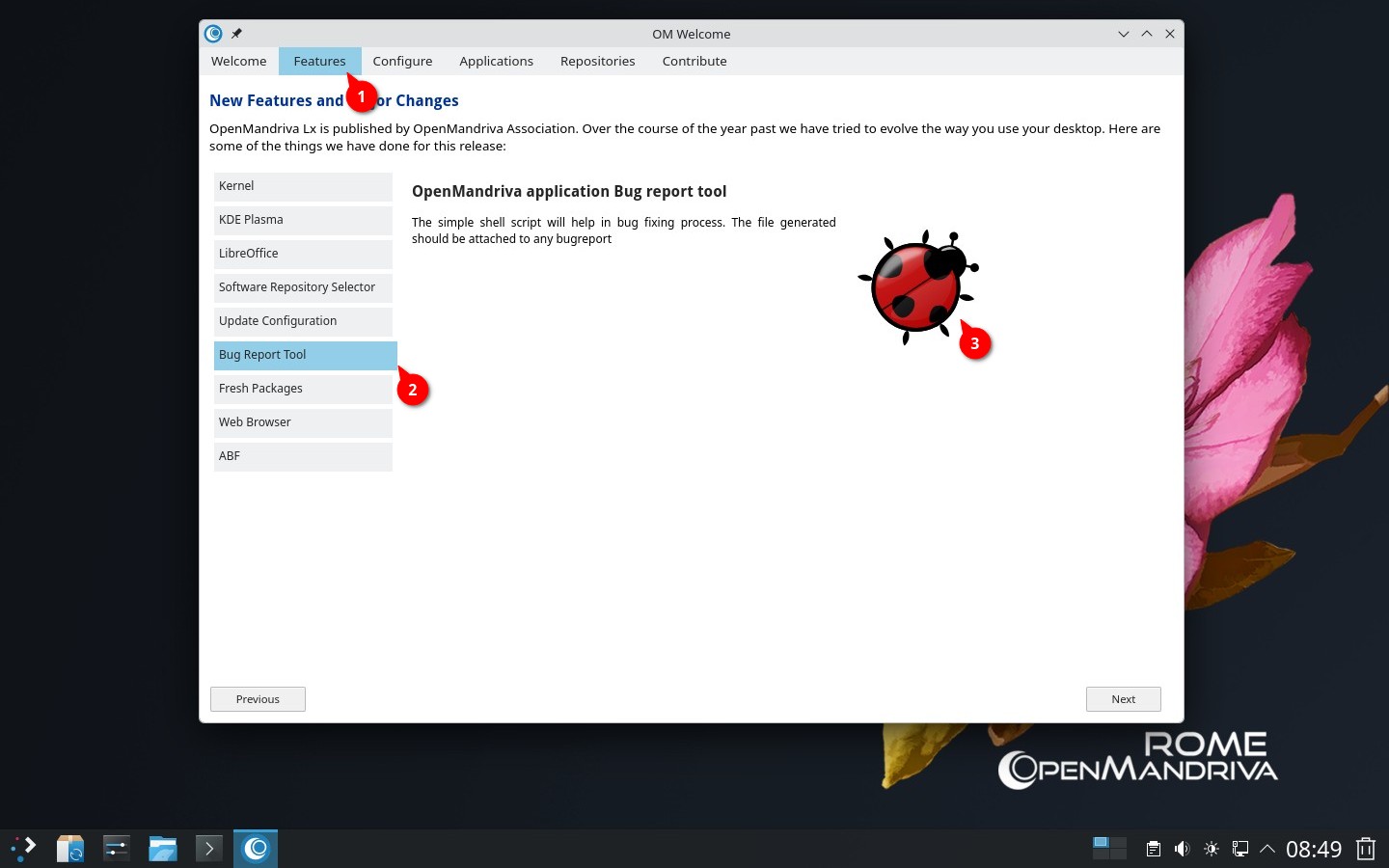
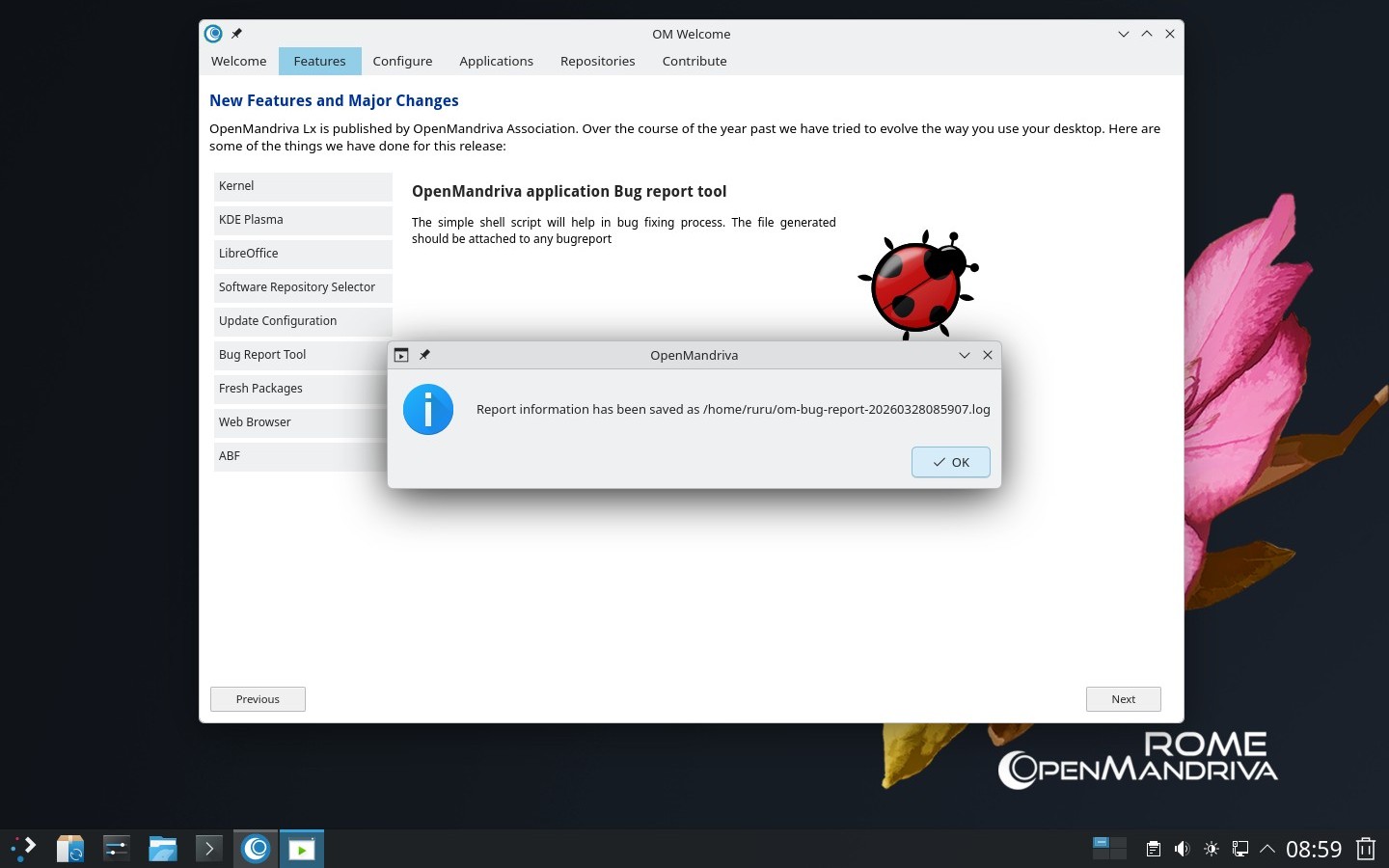
or
- open OM-Welcome, go to Contribute tab, click on Bug Report Tool module. Enter administrator password when prompted.
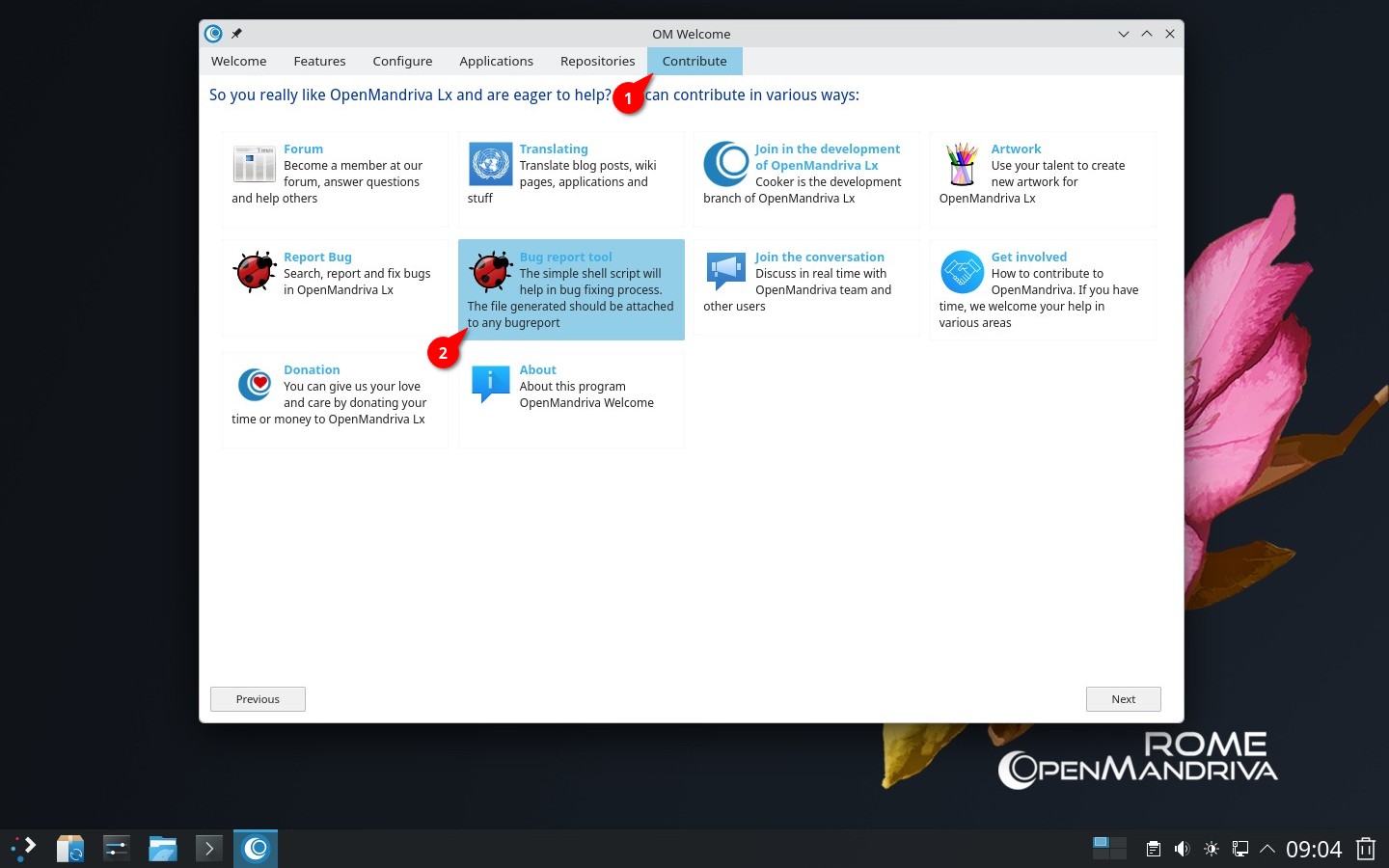
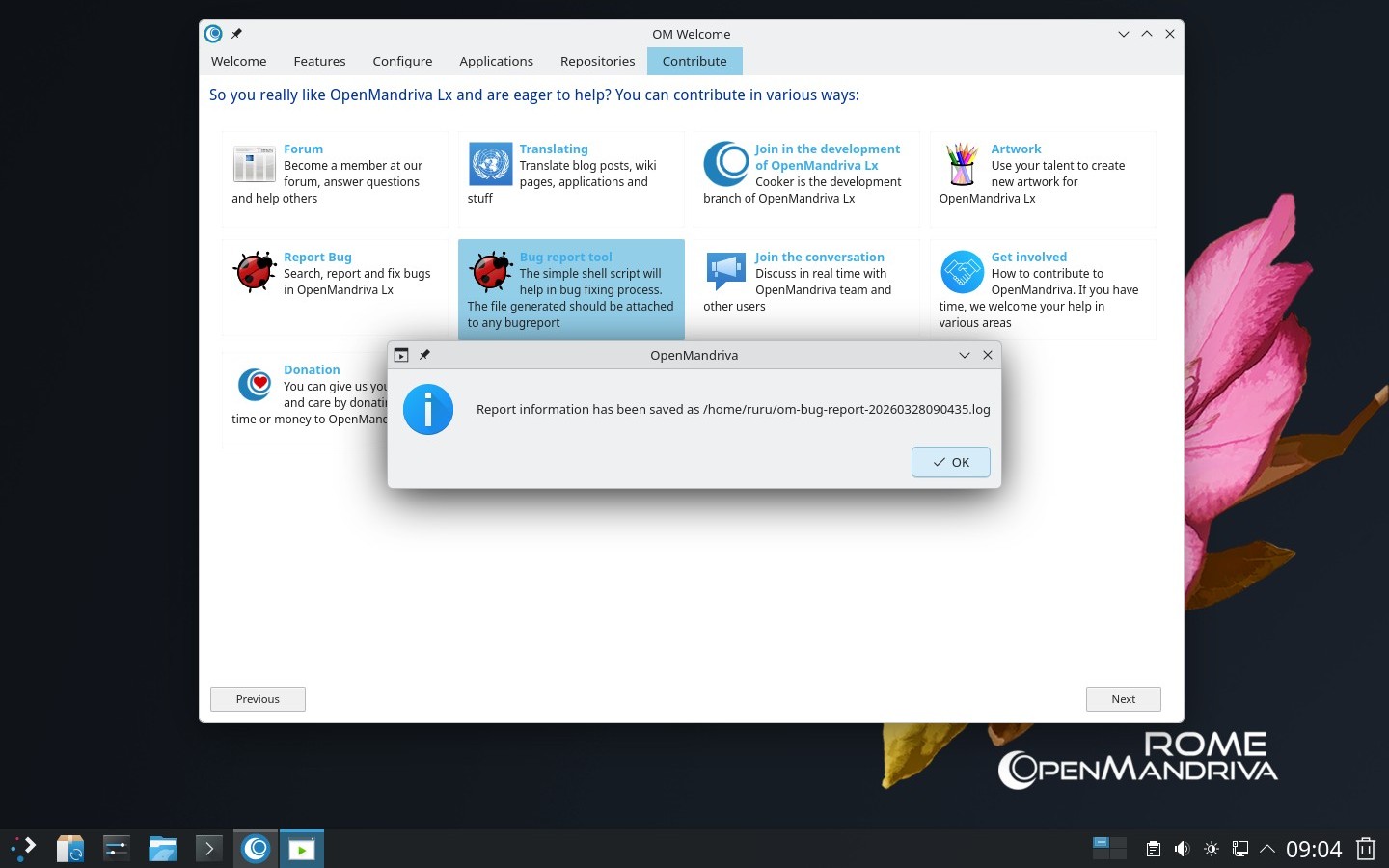
That will create the file om-bug-report.log in your home directory. Attach that log file.