Help with picking which iso

Hi!

So in short, the link in the forum for the default download and the link on the website for the default download seems to download different things.

I tried the OpenMandrivaLx (rock) plasma 6 x11 download and install, but after installing and using the built in system updater the system keeps looping to a black screen with a terminal flashing cursor- (I log in, it stays logged in for 1-2 mins, then just “reboots” to kde login)

I am a dad of a newborn and i work, i dont have time to troubleshoot or mess with config files, i am just gonna download and install a different version of OM Lx- but which should I download?

I have a HP laptop with an intel i5 (its a recent one, forget which gen, 9? 10?) an NVIDIA 3050 16gb of ram (3200mhz i think) and 512 gb nvme m.2 ssd.

I am gonna try the lxqt spin or one with wayland so i can try to install niri.

I have always found kde to be buggy on my systems.

any help and advice picking the right ISO to download is welcome and appreciated

At this point I am going to assume you installed the .iso on Sourceforge, as that is the first link I see in the blue box. Honestly, I have never tried that one.

I just did a quick download and install of OM Rock Plasma 6 using Ventoy of 3896, found here.

Installed to an old dinosaur from 2012, an ASUS K55A, 6GB memory, Intel i5-2450M (second gen), integrated Intel second gen graphics, with the 128 GB SSD. Everything is very stable for an old dinosaur. Even after I ran System Update and rebooted.

You might want to give 3896 a try. However, being unfamiliar with that Nvidia 3050, is it causing trouble? I don’t know.

I have been messing with the LXQt builds for Rome the past few days. My impression is parts are missing. For instance, no dual monitor support and no printer setup unless configuring the printer from inside the browser (http://localhost:631). I did not see a build for Rock LXQt. That doesn’t mean there is not one. It only means that I didn’t dig hard enough.

For the best luck with LXQt, what I have done on my other dinosaur a 2016 vintage ASUS X555UA, is to install OM Rome Plasma 6 and once that is up and running, do a system update, then install the task-lxqt package, which will place lxqt on the same system. Then reboot. When logging in from the SDDM screen, select LXQt from the menu (the one showing Plasma, lower left corner) and then enter your password. You will now have LXQt with the benefit of being able to use the KDE Plasma settings to deal with anything missing from LXQt, such as monitor and printer settings. Plus, if you happen to blow up something in either desktop environment, you have the other to fall back on to correct the problem.

Just now I installed the task-lxqt package to the Rock 3896 installation that I did, rebooted, and everything seems to be fine, other than the printer and monitor setting in LXQt are still missing. I just go into the KDE System Settings and use those to achieve the same goals.

I hope this helps.

Now I will wipe the drive again and try installing the Sourceforge .iso file, just to see what I downloaded. You got me curious.

Back again. Just finished installing that Sourceforge .iso file for Rock Plasma 6. Then I ran the System Update. Did a reboot. No issues.

Next I installed task-lxqt from the terminal. Reboot again. No issues. I was able to get into both Plasma 6 and LXQt desktop environments.

A few months ago I had a situation, same ASUS, different SSD (sitting here off to the side) when I would boot and all I could do was get into the Failsafe X Session from the SDDM login screen. There were a few Plasma 5 files that got in with the Plasma 6 environment. Not sure if this solution would resolve your black screen after logging in.

1 Like

I will give this a try, thank you.

it may have nothing to do with OpenMandriva as the HDD drive I have ventoy on may be failing or somehow broken. No installs from it are working at the moment.

I will use my one and only USB stick for the rock plasma iso you mentioned.

ps: it will take a while my download speeds are super slow at the moment (it will take approximately three hours) and I have a newborn so my time on the computer is mainly limited to printing documents and saving important files.

thanks for all the help and testing.

Not a problem. Just keep the baby away from the cables. My niece has an 11 month old and her son went through a phase when he loved to chew on anything that wasn’t food, including the dogs.

Will do :saluting_face:

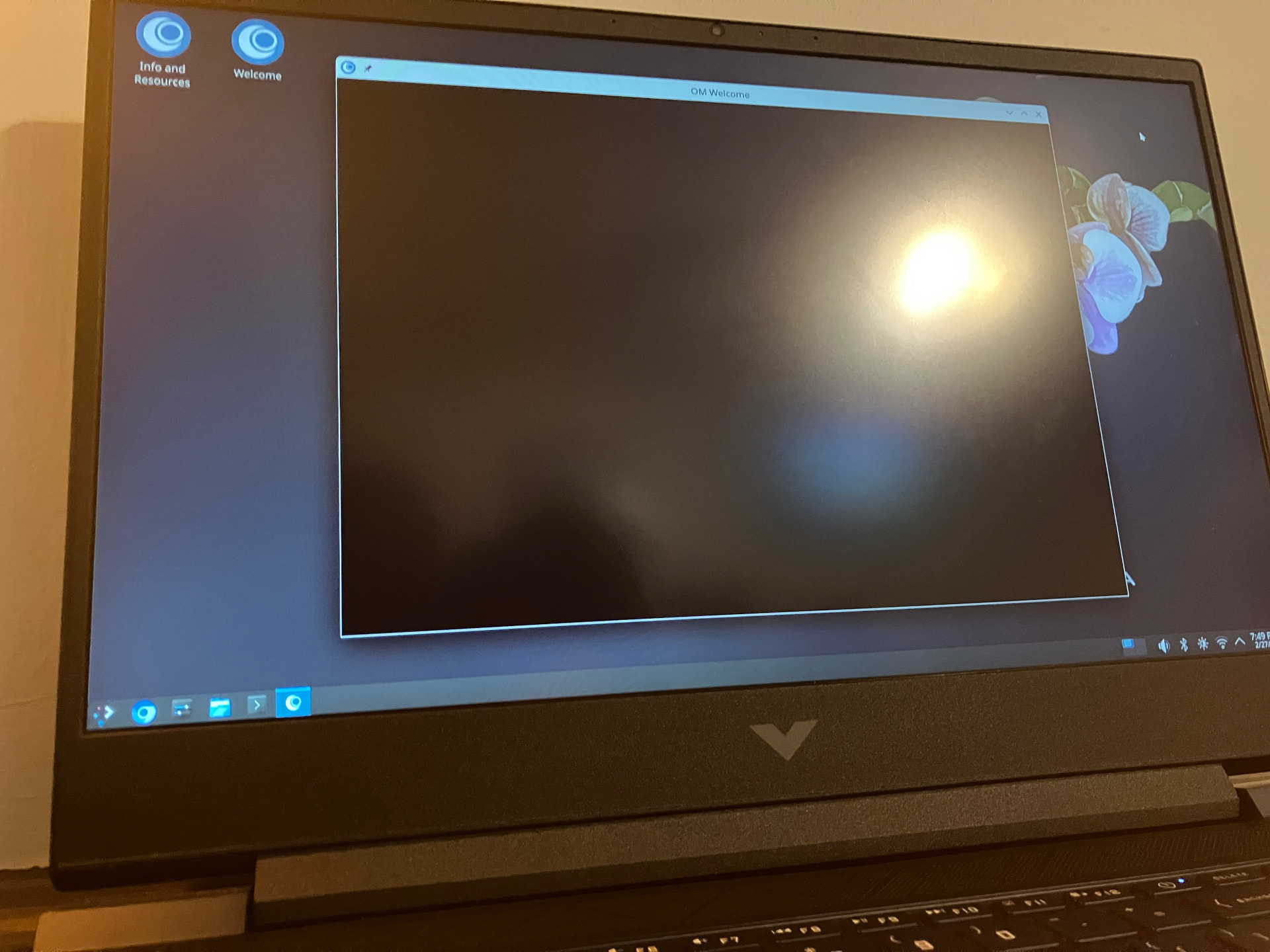
i installed it from a tested and working usb thumb drive, verified the checksum, installed nvidia settings and drivers from OM welcome, and did a system update from the OM welcome screen. did a restart and now OM welcome is broken :frowning: (black window no buttons or anything)

Bienvenidos @CataclysmicGentleman.

OM-Welcome broken is easy enough to work around, there are other ways to do everything that does and we can help walk a new user through that. OM-Welcome has some links to configuration gui’s and some modules to install some popular packages like browsers, ect.

The most important thing is how does your system work overall?

Did OM -Welcome break after installing nvidia driver? I do not have nvidia hardware so can’t test anything with that.

I will have to try and do the normal linux things and ill get back to you on that (install some apps, use the printer and scanner, listen to music etc) and I will get back to you on that.

It only broke after I updated and restarted.

Could you point me in the right direction for how to do some basic things, like how do you update the apps? dnf update?

to search for apps in the terminal is it just dnf query or..? I will check the manual and see if I can figure it out but any and all advice is welcome.

I am brand spanking new to OM. My brain is wired for arch at the moment because ive been using CachyOs- so terminal everything, and pacman Syu, etc. I know OM Lx is not arch or cachy, OM is OM- just trying to learn OM.

Thanks :smiley:

I am in the same situation as @ben79. No Nvidia hardware for testing. I wouldn’t even know where to begin with getting a driver for Nvidia up and running. I like to keep things simple and straight-forward. That comes from years of getting paid to debug a Fanuc 3000C CNC controller (got screwdrivers?) when it died for no apparent reason.

For installing from the terminal, we use dnf.

For help with dnf: dnf --help

To install: dnf install app_name

To search: dnf search app_name

Flatpak is available.

For GUI tools there are Dnfdrake, Flatdrake and Yumex (Yum Extender).

There is this guide for using Dnfdrake.

See the blue box a the top of the page. The note regarding updating from the terminal. Do not use dnf update. I tend to stick with the System Update for performing updates. For flatpaks, flatpak update is fine.

1 Like

thanks! I need this.

Yeah, I made sure to read it all :slight_smile:

Yea I recall the notice saying to use distro-sync however I wonder does this update all apps on your system or update your system? (imagine, OM Lx rock 5 to 6) (I dont know how OM Lx handles full system updates yet)

I would be happy to lend a hand with this if the devs want me to test anything on bare metal…( once I get some spare time.,) :laughing:

I believe distro-sync does the entire system along with the apps, except for the flatpak apps.

If I am wrong, someone please scream in my direction.

2 Likes

the guide seems to show the way this works is by first downloading the package locally and then installing it from a folder… this is interesting (I wonder what the rational behind this is) I have never seen another distro do it like this.

Nevermind the above comments dnfdrake just has options to either download or install. pretty straightforward.

I will get to installing some stuff and see how it goes! :grinning_face_with_smiling_eyes:

Correct. Apps, kernel, tools, everything. Unless you explicitly exclude something.

Historically, with regard to Rock/point releases, we recommend a fresh installation.
Having a /home partition separated will facilitate the re-install too.

1 Like

the system is working good. startup times are great, super fast. theres a bit of a stutter in general (im on x11) mouse and window movement shows the stutter. havent had much time to test anything other then the printer scanning which works. ram usage is normal. I am trying to adjust from niri to kde simply because i dont have time right now to fiddle with trying to setup niri unless someone made a tutorial.

my preference is to switch back to niri once I have some free time, but kde is working fine for now.

overall i think im going to try and install wayland and see if the stutter gets resolved.

everything else seems to work fine besides my mouse speed needing tweaking.

If you want Wayland, no need to reinstall everything. Install task-plasma-wayland from the terminal, Dnfdrake, or Yumex. Then reboot and select Wayland on the SDDM screen before logging in.

1 Like

oh thanks for the tip!

Hey I tried the command and also tried searching in dnfdrake but no results come up for what you mentioned.

were you meaning for me to do this;

update: yeah this worked!