This is MX KDE on usb:
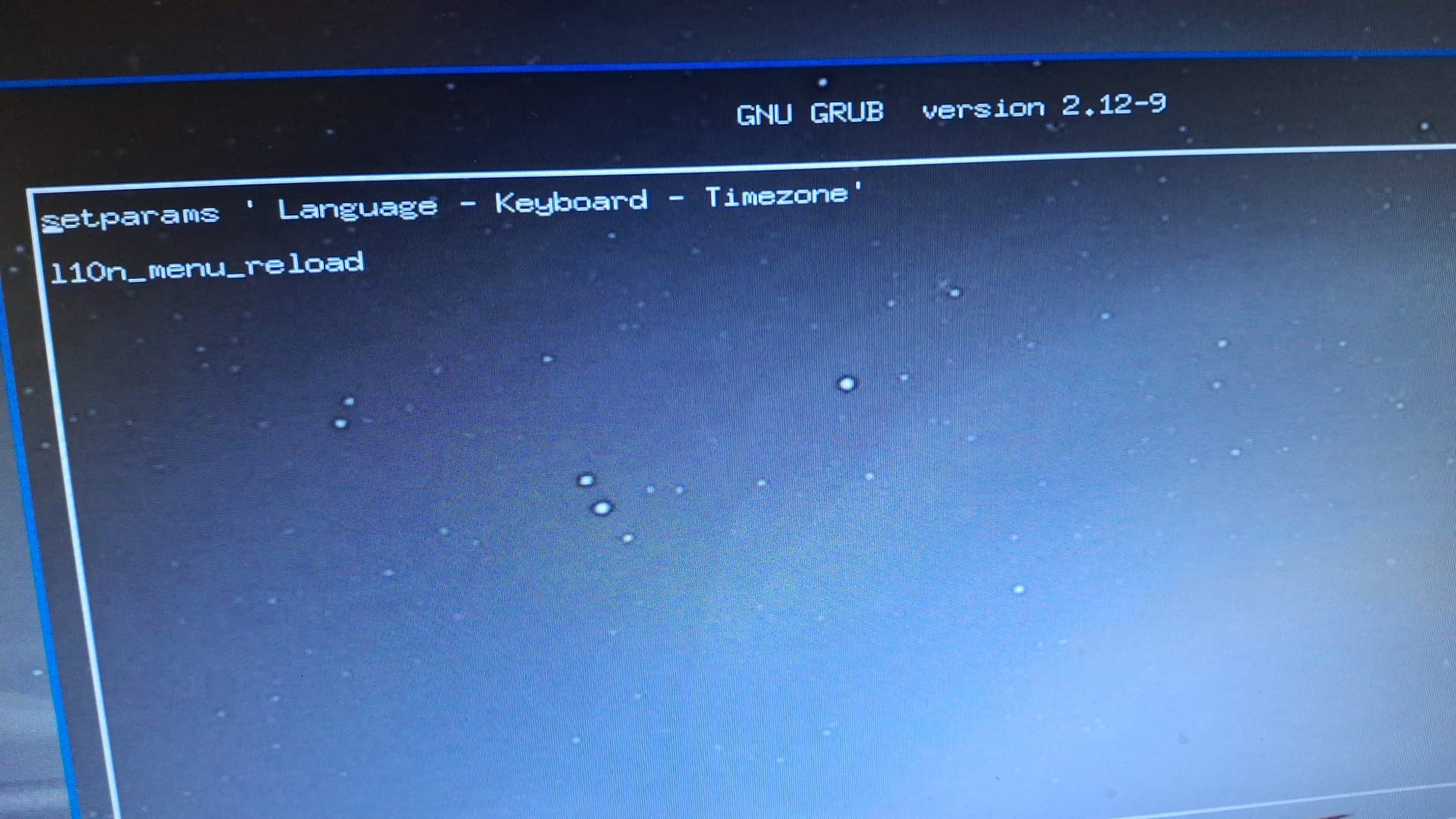
This is the OLD OM ROME Plasma5 o usb:
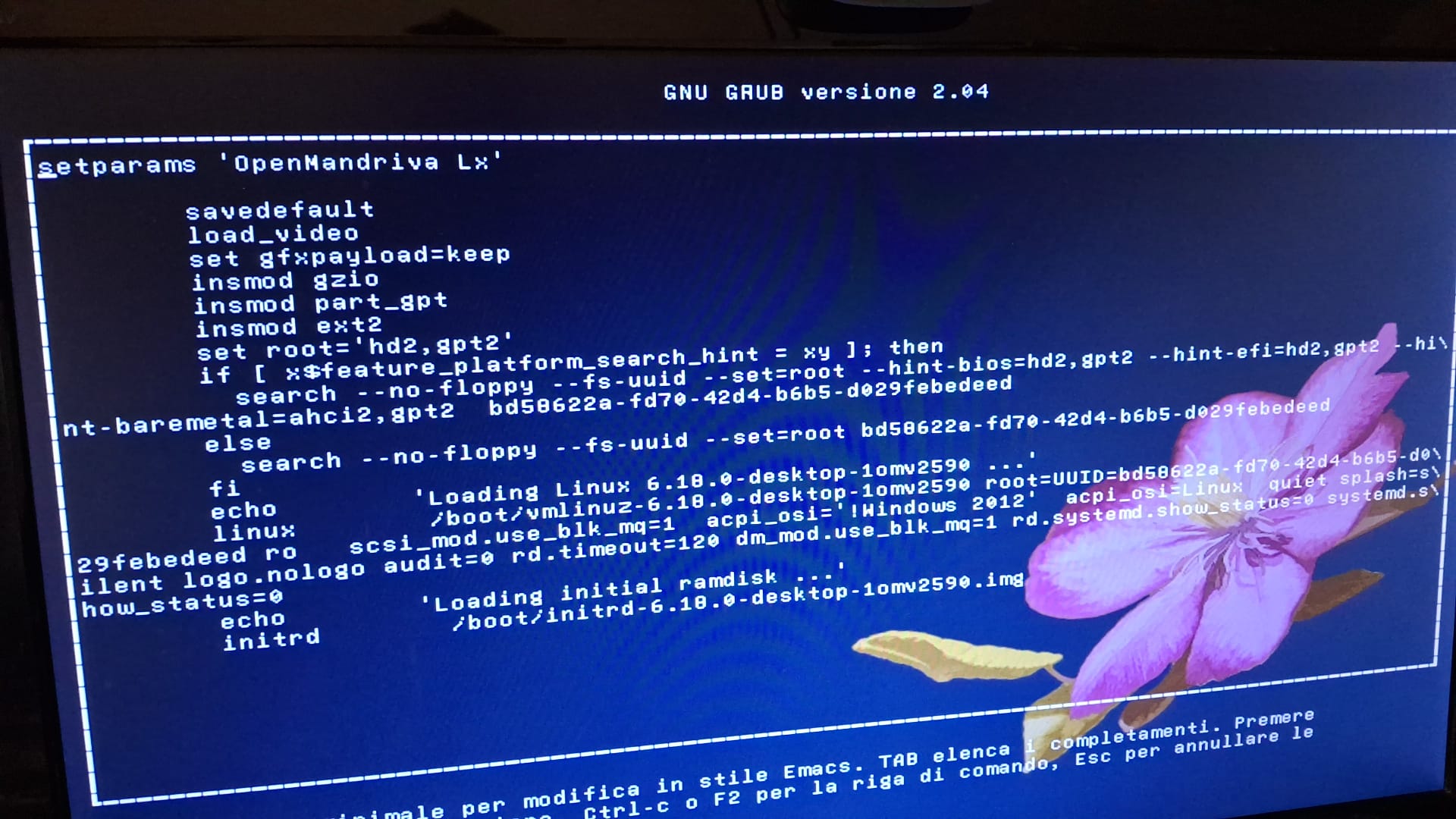
The present OM ROME Plasma 6 on usb is on a prievious chat.
This is MX KDE on usb:
This is the OLD OM ROME Plasma5 o usb:
The present OM ROME Plasma 6 on usb is on a prievious chat.
Tradotto con Vivaldi Browser:
Ok, proviamo questo…
Prendi l’ultima iso cooker e vedi se funziona: non si sa mai…
In caso contrario, nella voce grub per l’installazione, dove c’è scritto “linux” (è la lunga riga che va a capo), prova ad aggiungere “nomodeset” alla fine. Salva e avvia.
Se ciò non funziona, prova invece ad aggiungere “nouveau.noaccel=1”.
Se nessuna di queste soluzioni funziona, non ho altre opzioni se non quella di provare a estrarre la GPU discreta e usare l’iGPU per vedere se il problema si risolve.
English:
OK, let’s try this…
Grab the latest cooker iso and see if that works - you never know…
If that doesn’t, then on the grub entry for install, where is says “linux” (it’s the long line that wraps around) try adding “nomodeset” to the end. Save and boot.
If that doesn’t work try adding “nouveau.noaccel=1” instead.
If none of those work, I’m out of options other than to say try pulling the discrete gpu and use the iGPU to see if that fixes it.
Non va.
In caso contrario, nella voce grub per l’installazione, dove c’è scritto “linux” (è la lunga riga che si avvolge), prova ad aggiungere “nomodeset” alla fine. Salva e avvia.
Apparentemente non trovo come salvare. In ogni caso, con Ctrl-X si blocca sulla schermata.
Se ciò non funziona, prova invece ad aggiungere “nouveau.noaccel=1”.
Come sopra
Tradotto con Vivaldi Browser:
Penso che in uno dei post sopra @halexg abbia menzionato F10 come opzione di salvataggio
Ultima cosa che mi viene in mente:
TLDR:
Se hai aggiunto “nomodeset” ai parametri di avvio, prova ad aggiungere “nvidia_drm.modeset=1”
Questo collegamento riguarda anche l’aggiunta di pacchetti driver NVIDIA specifici. Non so se sono ancora disponibili e nemmeno se sono compatibili con i kernel attuali.
https://forums.linuxmint.com/viewtopic.php?t=425507
Oltre a questo, però, sto finendo le cose con cui giocare. Tutto quello a cui riesco a pensare ora è rimuovere la GPU e sostituirla.
Ecco il manuale utente della tua scheda madre:
Fondamentalmente, da quello che posso vedere, anche se il tuo chip (i3-2160) ha una GPU integrata, la scheda madre non la supporta.
Se cerchi una scheda AMD, probabilmente avrai bisogno di una Radeon HD6000 o HD7000 per funzionare con quella scheda madre dell’epoca.
Vorrei poter aiutare di più, a questo punto sono ufficialmente senza trucchi. Se riesco a trovare qualche vecchia GPU compatibile con Murgen (il mio sistema i3-2160), tornerò e te lo farò sapere.
English:
I think in one of the posts above @halexg mentioned F10 as a save option
Last thing I can think of:
TLDR:
Where you added “nomodeset” to the boot params, try adding “nvidia_drm.modeset=1”
That link also goes into adding specific NVIDIA driver packages. I do not know if they are still available or even if they are compatible with the current kernels.
https://forums.linuxmint.com/viewtopic.php?t=425507
Beyond that though I’m running out of things to play with. All I can think of now is to pull the GPU and replace it.
Here is the user manual for your motherboard:
Basically from what I can see, is that even if your chip (i3-2160) has a built in GPU, the motherboard doesn’t support it.
If you go looking for an AMD card, you’re probably going to need a Radeon HD6000 or HD7000 to work with that era motherboard.
I wish I could help more, I’m just officially out of tricks at this point. If I can find any old gpus that work with Murgen (my i3-2160 system) I’ll come back and let you know.
E’ piuttosto una conferma (temporanea) che un salvataggio.
Se si vuole renderlo permanente bisogna editare un file di sistema (che al momento non ricordo).
Tempo fa si poteva farlo con grub-editor, se non sbaglio, ma credo che non sia più disponibile.
probabilmente è superato da grub-customizer oppure da
systemsettings kcm_grub2
che però stranamente a me non funziona
Per apportare modifiche permanenti alle voci del menu grub2, è necessario modificare /ect/default/grub con un editor di testo grafico come Kate o Kwrite oppure dalla riga di comando con nano o vim. Quindi è necessario eseguire sudo update-grub. Quindi reboot.
Per verificare che la modifica sia stata apportata, controllare il file /boot/grub2/grub.cfg sotto la riga che dice ### BEGIN /etc/grub.d/10_linux ###.
Non ho mai creduto che cose come kcm_grub2 o l’editor grub2 rendessero tutto questo più facile.
Tradotto con DeepL.com (versione gratuita)
To make permanent changes to grub2 menu entries you edit /ect/default/grub with some gui text editor like Kate or Kwrite or from cli with nano or vim. Then you need to run sudo update-grub. Then reboot.
To check that the change was made you look in /boot/grub2/grub.cfg under the line that says ### BEGIN /etc/grub.d/10_linux ###.
I never believed thing like kcm_grub2 or grub2 editor made this any easier.
Should that be: /etc/default/grub?
Repetitive memroy in the figners will get you every time. I should know. It took me a good nine months of therapy after two surgeries before I was back to something resembling normal.
Italian, courtesy of Vivaldi’s translator:
Italiano per gentile concessione del traduttore di Vivaldi:
Dovrebbe essere: /etc/default/grub?
La memoria ripetitiva nei figner ti prenderà ogni volta. Dovrei saperlo. Mi ci sono voluti ben nove mesi di terapia dopo due interventi chirurgici prima di tornare a qualcosa di simile alla normalità.
Infatti. Confermo.
Se avessi dovuto scommettere, è quello che pensavo anch’io. Però non avendo la certezza al 100% ho preferito non scriverlo per non dare informazioni che potevano essere errate.
Ho una vaga memoria di modifiche che poi vengono (o venivano?) sovrascritte dagli aggiornamenti.
Ma a prescindere dal file da editare, prima bisogna capire se la modifica risolve il problema. Altrimenti è quasi inutile parlarne 
Accetta di non modificare /etc/default/grub senza prima testare le modifiche.
Agree you do not change /etc/default/grub without testing the changes first.
This topic was automatically closed 30 days after the last reply. New replies are no longer allowed.