While I’m no Arch-criminal, I did give CatchyOS a shot on one of my gamers just to see what the hype was all about. In typical Arch fashion it was buggy as hell with no noticeable performance gain. I got similar performance numbers running Zorin or OM. So I wonder why it’s trending so much?
As someone who has never tried it, my guess is just hype. It’s an Arch-based distro geared toward gamers with a simpler install process when compared to a base Arch install. You also have quite a few prominent YouTubers who have switched to Arch, so people see Arch-based distros as more trendy or cool. By using CachyOS, you can say you use Arch, but you don’t necessarily have to put in as much “work” to use and maintain it. Plus, gamer-focused stuff seems to get more attention.
So yeah, I look at it as hype. Some people genuinely like it, then content creators see that it’s a trending topic that’ll get them views…so they make a video about it to get more attention.
2 Likes
Some fresh round of donations to some “influencer/influencing” website?
That’s been suggested by a friend 
1 Like
I agree with everything that’s been said here so far. I actually run Arch on one machine which is an over ten year old MacBook Pro with a Broadcom 4360 wireless card in it that I set up for a family member. (I am NOT an Arch user.) I used the ‘archinstall’ script to install it which is super easy to use as well as super flexible-- This is what the ISOs have been for the last couple of years now, which brings me to my point: I feel like the crowd that’s installing CachyOS is just repeating things they’ve heard and/or following trends as actual Arch is just as easy to install and making it whatever you want is easier than ever for casual users. Personally, I don’t really think there’s much merit in non-independent distributions because, at best, all you’re really getting is a clone of someone else’s setup. To me, it seems like the CachyOS folks are really just pandering to the current prevalence of Linux curiosity as well as the Arch and Gaming booms all at once.
2 Likes
I figured it’s probably because SteamDeck uses Arch that people think “If you want to game, get Arch”. I work in the IT industry and I used to have an employee that worshiped at the feet of the Arch Gods while I clinked along with Fedora or Zorin. I think Arch users consider themselves Jim Jones purists ready to look down on the masses.
IMHO, if one really wants to play a Windows game to the fullest, they probably should get Windows. Don’t be hating me for saying that. When they start making AAA games for Linux first I’m sure they’ll blow everyone away. Until that day…
…oh yeah, I’ve run Arch too, btw, but it’s the difference between having a computer and having a project.
3 Likes
Apart from the astonishingly well-made kernel for gaming purposes?
Nothing, literally nothing. I have been testing this for a while. The GUI system management tools are crude and underdeveloped, to put it mildly. So, if you want the system to run smoothly, prepare yourself for a lot of manual work. Oh, you chose Xfce as your desktop and you use multiple monitors? If you want to work in mirror mode on all of them, you’re all set. But if you want to extend monitor A to B, you can kindly fuck yourself. However, if you really want to extend Monitor A to Monitor B, you can try to work around the issue — the keywords here are ‘you can’ and ‘try’. When you finally give up, you can… You guessed it! Fuck yourself! Yay!
And if you dare to dualboot with any other os linux, windows, or bsd.
You can! But only if the one and only system you are willing to use is a marvelous cachy os. Why you may have ask? Osprobber is disabled by default on cachy so if nobody tells you that you must first edit manually
/etc/default/grub:

GRUB_DISABLE_OS_PROBER=false
Then run:
sudo os-prober; sudo grub-mkconfig -o /boot/grub/grub.cfg.
If, through carelessness or misjudgement, you type sudo os-prober or sudo grub-mkconfig -o /boot/grub/grub.cfg
without pervously editing manually /etc/default/grub:
You will end up with
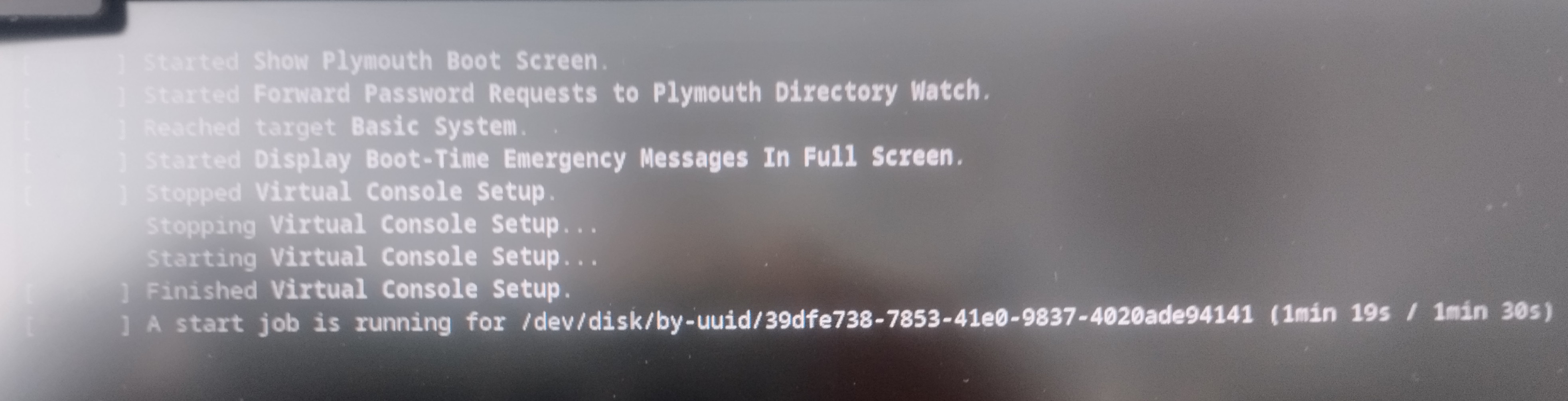
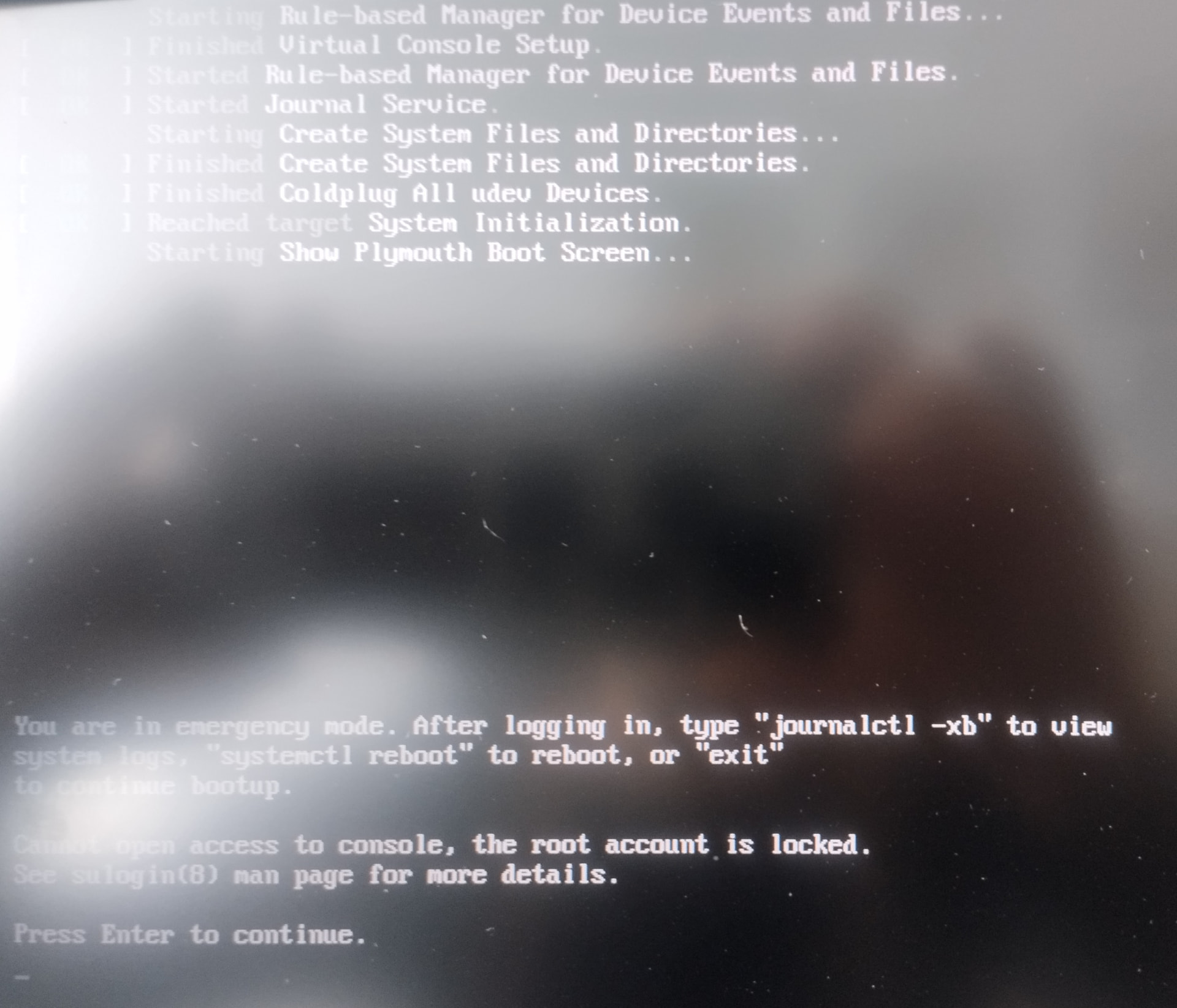
Can I repair this? Yes, but do I want to waste my time on a system that is unstable and poorly made? No.
If you are a new Linux user and don’t know how to deal with such issues… now you know. You can fuck yourself
Here is the catch: no gamer will deal with this level of bullshit.
If He / She / It / All of them are tech savvy, it is easier to bootstrap Arch for them than deal with this.
You can configure Arch for 2-3 hours and then install the Cachy kernel in to it, or you can struggle with Cachy’s morronic errors for 3-4 days.
5 Likes
Tried it, IMO Cachy is extremely overrated. There are better Arch based distros available that are more stable and just as fast.
EndeavourOS was what I daily’d before coming to OM full time this last month. I went back to that after trying Cachy to see if it lived up to the hype.
it doesn’t, it is less stable than Manjaro IME, I had a 45 GB root partition using their back up scheme the root partition was full in under a month. This is a problem others have and their community tells you, “get a bigger root partition” - frankly that’s just ridiculous. Even with backups running, root shouldn’t be using 45 GB of space.
The big draw however is speed - and as I said, it’s not any faster running things than OM and Endeavour or Nobara. It does boot faster, but that is likely due to Limine.
Now you got me curious, so I had to install it on the antique ASUS K55A. 128GB SSD. 6GB memory. Intel CPU and GPU.
Faster? Not that I could tell. Rome is just as fast. Rome installs quite bit faster too. Same for installing apps. Rome is quicker.
It is a slim installation. Choose your desktop environment and optional printer support. It is up to the user to install everything else.
I wouldn’t recommend it for a new user. The repo GUI, Cachy Package Installer is very bare bones. Most new to Linux users coming from macOS or Spyware 10/11 acclimated to lots of bells and whistles will definitely be confused. It is up to the user to add support for Flatpaks. Fortunately, Flatpak support is in the repo.
Documentation is clearly not for Linux new users. But for the experienced, they can quickly figure it out.
In the end, I agree. I can’t figure out what the big deal is. Perhaps the huge list of desktop environments and window managers available at installation? Arch but simplified?
But if someone really does want to use Arch, Cachy is where I would send him.
My opinion.
2 Likes
I would still recommend EndeavourOS over Cachy. Better community, better docs. Manjaro before they got all Spyware with mandatory tracking software was doing pretty good with this front as well, the difference is they are operating on completely different tracks from based Arch and AUR packages can bork your system because of that.
But as you said, OM is just as quick, and has better tooling built for new users. (Which is impressive for such a small distro) and easily the best community.
You can use Octopi instead of Cachy Package Manager, just like on other Arch-based distro’s and KaOS.
Then Cachy needs to do a better job of pointing it out to new users coming from Windows or other non-Arch distros. Not that it matters to me. I have no plan to use Cachy.
1 Like
Yeah you could - but you’d still end up with your root partition filled up in a few months. I’m not the only person that has run into this issue and from the comments on their forums the answer is, “give root more space”.
I am not that familiar with Arch and CachyOS. So if you say that is what happens, I will have to take your word for it.
I’ve used several variations of Arch - have only seen the WORM behavior in Cachy.