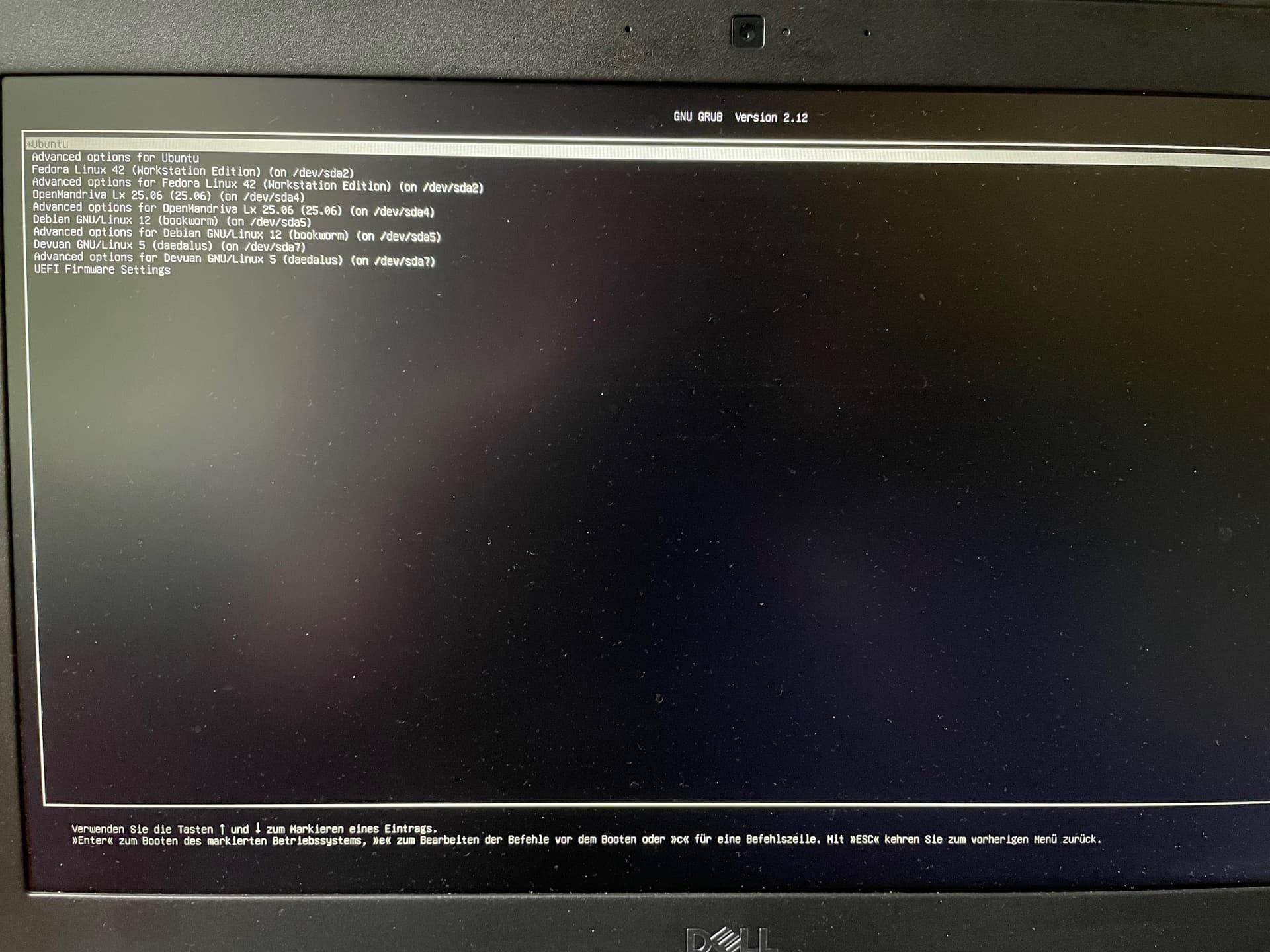
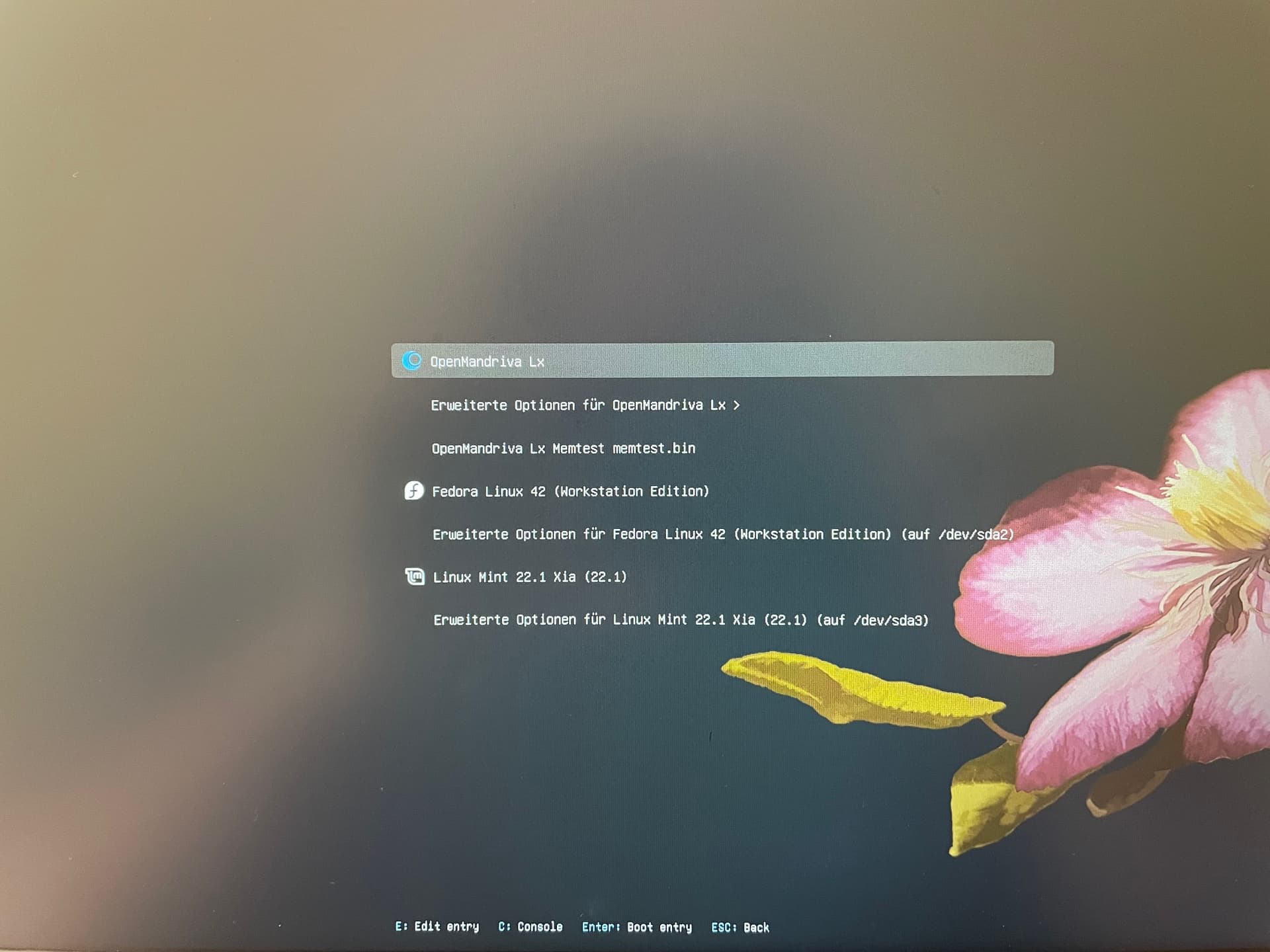
I have different distributions installed on my computer. Lately Linux Mint made a huge update and now my bootloader look like this. Everything is working, but I want the old bootloader back with the flower and icons for every distribution.
Any ideas how to fix it? sudo update-grub2 didnt helped.
Usually what is at the top of the list is the operating system that is doing the boot loading. That appears to be Ubuntu, and I do not see Linux Mint in the list at all,
If you want to use OpenMandriva system as boot loader look in the Resources Index. There is an article that addresses this there.
You can also fix a broken boot loader from where you are in that screen shot using grub rescue. Do an internet search of “How to use grub rescue” or “Linux how to fix a broken boot loader” and you should have a selection of YouTube videos and “How To” articles on this, this is just one such article. With grub rescue you can use which ever of your systems you wish to boot load from. There is also SystemRescue. I have not used that in a long time but it should do just fine after one learns how to use it.
Even if this stuff looks intimidating one does not need to be an IT expert to learn either of these methods. Linux dummies can learn this any of this including the OpenMandriva specific article in my first post above,
edit
<<There may be a more simple solution check your bios and move OM to boot first, it could be that the mint update just changed the bios boot priority, if not try below>>
I’ve had simmilar problems. I think mint did a grub-install and update-grub during the update and replaced the OM grub menu the mints. to fix this you would need to do the same from OM. Im not sure what the exact commands are but normally grub-install with the correct flags
These commands are taken from the arch wiki so maybe different for OM so hopefuly someone else can confirm. But this should reinstall the OM grub with it’s default configurations.
If you want to prevent this from happening I think you can just remove the grub package from the other distros and it wont be able to update I have done this with debian because it has a tendancy to do the same each version update 12.1 12.2 12.3 etc but im not sure if that would break anything in linux mint.
You will see all the boot numbers (ignore the ‘Boot’ prefix). Use the -o (or the long form --bootorder) to change the priority. I changed the order to boot OpenMandriva as default. See below.
This can be done from any booted distro. Must be done as root user or using ‘sudo’.
However, if next time LinuxMint (or any of the other distros) does the same thing i.e., to grub-install, then it will change the boot order again (default being index 0). Not sure, how (or if) we can ‘disable’ grub-install from upgrades.
I have only had this problem using apt based distros for me apt remove grub
has worked for regular upgrades, (at least in debian, it is even possible to install debian without a boot loader from the expert install menu) but I think apt dist-upgrade
could possibly reinstall it. As the fix is pretty easy it’s probably not worth messing with grub and just reverting back as neccessary.
Thank you guys for the many suggestions! The solution from suivue fixed the problem. It was very easy! I checked first for my boot entries with command line “efibootmgr” - my OpenMandriva Bootorder was Boot0008. And then I changed the bootorder with command line “sudo efibootmgr --bootorder 0008”, now I have my Openmandriva bootloader back! And all entries are working without errors. That was a great job suivue, thanks a lot!
So this was not a broken boot loader but a change in boot order. Anytime a Linux distro runs it’s grub or grub2 script that system will become the boot loader system. For example whenever a new kernel is installed you will see the grub or grub2 script run. This is normal behavior as far as I know.
You can or course use efibootmgr to change this anytime this happens.