OpenMandriva Lx release 26.02 (ROME) Rolling for x86_64
Desktop environment (KDE, LXQT…):
KDE Plasma 6.5.5
Description of the issue (screenshots if relevant):
Today i wanted to sit comfortably and configure general stuff on my newly installed OM. I alerady installed plenty of programs and i installed the firewall component from the OM-Welcome app, which installs the plasma-firewall plugin and firewalld. I’ve used this combo before on Fedora so i expected it would be the usual, just enable it from the kde settings.
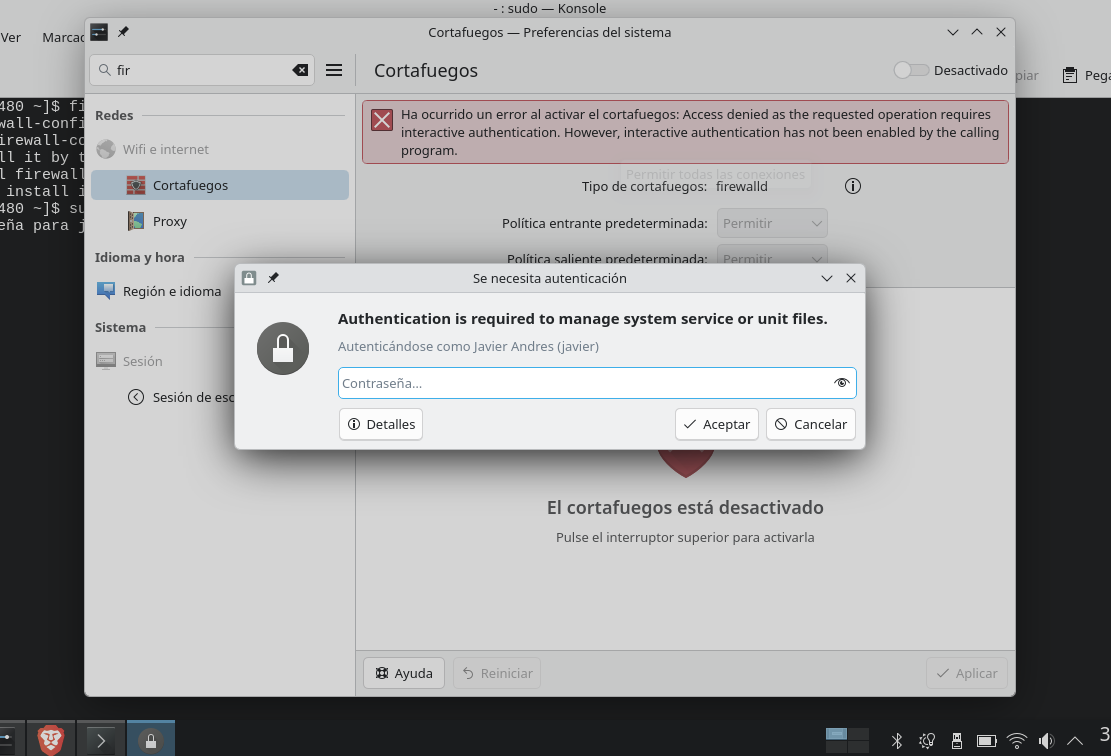
it requests my root password but it always gives me the following error (sorry, i mainly speak spanish and i left it on spanish for my family)
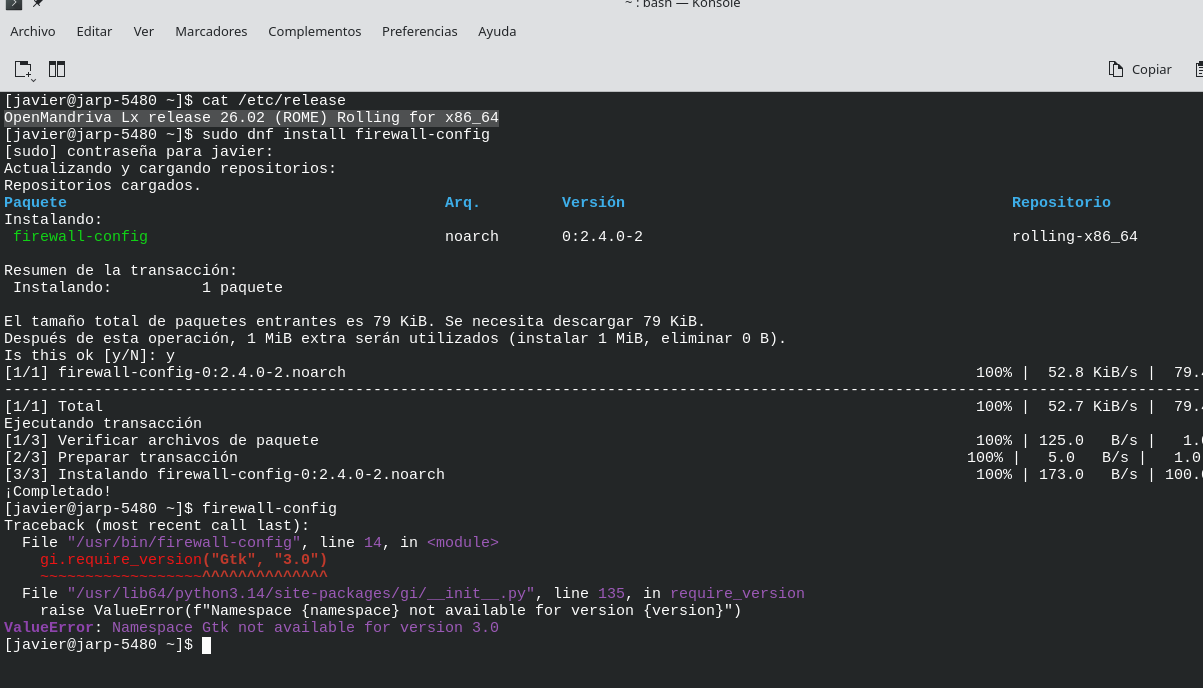
i can “enable it” and it looks like i enabled it, but after restart it appears disabled again. I tried installing “firewall-config” per forum entry Does OM have a "firewall" app?
my apologies, but i will also append what journalctl registered after i tried something i found on internet for enabling firewalld from terminal: sudo systemctl enable --now firewalld
abr 05 16:02:50 jarp-5480 systemd[1]: Starting firewalld.service - firewalld - dynamic firewall daemon...
 Subject: A start job for unit firewalld.service has begun execution
 Defined-By: systemd
 Support: https://openmandriva.org

 A start job for unit firewalld.service has begun execution.

 The job identifier is 4230.
abr 05 16:02:51 jarp-5480 systemd[1]: firewalld.service: Main process exited, code=exited, status=1/FAILURE
 Subject: Unit process exited
 Defined-By: systemd
 Support: https://openmandriva.org

 An ExecStart= process belonging to unit firewalld.service has exited.

 The process' exit code is 'exited' and its exit status is 1.
abr 05 16:02:51 jarp-5480 systemd[1]: firewalld.service: Failed with result 'exit-code'.
 Subject: Unit failed
 Defined-By: systemd
 Support: https://openmandriva.org

 The unit firewalld.service has entered the 'failed' state with result 'exit-code'.
abr 05 16:02:51 jarp-5480 systemd[1]: Failed to start firewalld.service - firewalld - dynamic firewall daemon.
 Subject: A start job for unit firewalld.service has failed
 Defined-By: systemd
 Support: https://openmandriva.org

 A start job for unit firewalld.service has finished with a failure.

 The job identifier is 4230 and the job result is failed.
I’m recalling testing this a few weeks ago and firewalld does not work. This issue needs a bug report. The bug report needs to be filed by someone that uses firewalld. I do not use it.
Have you tried firewalld on kernel-desktop-6.18.9-2-omv2690.znver1 ? I’ve seen you tested VMs rolling back to that version in another forum thread if I’m not wrong.
Same issue here. As I need only basic firewall to occasionally connect on public networks, I just switched to UFW Firewall which is working fine.
I tried my best but I’m not a power user, so my best guess it is something related to a kernel module or a D-Bus issue. Case I’m proven right, it could be interesting to keep a long term stable kernel version installed while updating the system to newer cutting edge versions (used to do this decades ago using Ubuntu and not sure how to do it nowadays on Openmandriva).
It is my very first interaction here in this forum and I’m not typing in English for a long while so… Hope I did not say something stupid
idk if you’re talking to me or @ben79 but if you’re talking to me, then no, i tried to use the znver iso, but my CPU does not support it so i can’t even install.
in any case, i just realized ufw is available for download. However, when i try to remove firewalld, it also wants to remove plasma-firewall as dependency.
I read somewhere that i could use the nodeps argument to bypass this problem… but then i ask how big are the chances of breaking the os by doing that? i would like to keep the plasma-firewall package so i can manipulate ufw from the GUI.
Sorry javelinv24, I thought clicking on “Reply” would automatically address the person. It was to ben79.
Anyways, you don’t have to remove anything, just stop the service is 0k –> sudo systemctl disable firewalld. I take it as a countermeasure until firewalld is back again.
That is helpful information for people that use a firewall, thanks.
I do not know if devs are working on this firewalld issue or not, or if this is an upstream issue. That is why this needs a bug report from someone that uses firewalld.
No problem, many here are not English as native language. I am but I am also learning Spanish so I recognize the difficulty.
From memory this is:
`sudo rpm -e --nodeps <package_name>
If you remove a package this way and there are problems it should be easy enough to just install the package again. I would not do this with any critical system packages but many of us don’t what all of those are. But a firewall would not be one given that there is no firewall on a default installation.
Whether ufw would work with plasma-firewall is another consideration. But it should be worth trying. However I think devs would need to change the plasma-firewall package to use ufw.
I just created the bug report 3458 to github, so i hope devs will check that out.
let me test it, but it should work, since debian KDE bundles plasma-firewall and ufw is later installed, then plasma automatically recognizes it.
Good to know. I wanted to remove some plasma programs and other stuff the defaults brings as well, but almost all the packages are linked to plasma-desktop