Dnfdragora does not work (upstream issue)

Hello,

Requirements:

I was unable to complete the Requirements section checklist below because both Firefox and Helium fail to reach the destination pages due to a reported HTTPS security issue that they claim originates from the website, and neither browser will permit me to bypass the access denial. (Should I post this topic separately as well?)

I have Searched the forum for my issue and found nothing related or helpful
I have checked the Resources category (Resources Index)
I have reviewed the Wiki for relevant information
I have read the the Release Notes and Errata

OpenMandriva Lx version:

Operating System: OpenMandriva ROME 25.12
Kernel Version: 6.17.7-desktop-1omv2590 (64-bit)

Desktop environment (KDE, LXQT…):

KDE Plasma Version: 6.5.3
KDE Frameworks Version: 6.20.0
Qt Version: 6.10.1

Description of the issue (screenshots if relevant):

I would like to install and use dnfdragora for purposes of searching available packages in a familiar format that I can install via the recommended CLI per OM notes.

My attempted installation completes with the following result:

>>> Running %triggerin scriptlet: systemd-0:258.2-1.znver1
warning: posix.fork(): .fork(), .exec(), .wait() and .redirect2null() are deprecated, use rpm.spawn() or rpm.execute() instead
warning: posix.wait(): .fork(), .exec(), .wait() and .redirect2null() are deprecated, use rpm.spawn() or rpm.execute() instead
[48/48] Installing qt-jpegxl-image-plugin-0:0.8.0-2.znver1 100% | 72.8 KiB/s | 37.8 KiB | 00m01s
Complete!

The item selection appears in the system menu, the program loads but is immediately followed by this message:

Error occurred:

Wrong number or type of arguments for overloaded function 'VectorNevra___getitem__'.
Possible C/C++ prototypes are:

std::vector< libdnf5::rpm::Nevra >::__getitem__(SWIGPY_SLICEOBJECT *)

std::vector< libdnf5::rpm::Nevra >::__getitem__(std::vector< libdnf5::rpm::Nevra >::difference_type) const

Further action on my part has no response.

Please let me know what you recommend.

Thanks,

Mike

Relevant information (hardware involved, software version, logs or output…):

Processors: 16 × AMD Ryzen 7 5700G with Radeon Graphics
Memory: 128 GiB of RAM (125.1 GiB usable)
Graphics Processor: AMD Radeon Graphics
Graphics Platform: Wayland
Manufacturer: ASUS /etc/release`–>
It looks like the upstream did not update to dnf5. I would recommend just using the terminal at this point. If you need to add repos, use System Repository Selector. If you need to update use System Update. Both are in the menu of your DE.

You can search for packages with dnf search <package name> and install using sudo dnf in <package_name>. We have the preferred update/grade command plastered all over our forums if you need that, as well.

I tried to explain:

I never use dnfdragora to install or remove programs… I always use Konsole to update, add, and remove packages, not dnfdragora… but I like the format and interface of dnfdragora for searching and showing what packages are installed and/or available as provided with the OS installation, plus I like the search options and summaries, descriptions, and the display of what is already installed, as well as versions included with the distribution… usually the selections included with the distribution are more than adequate for my need, and much preferable to downloading external packages.

With dnfdragora I can search on a topic and scan through a vast array of related items, and acquaint myself somewhat with what I otherwise didn’t know about available software packages for a wide variety of different purposes.

I would like to have it available and working again for those reasons.

I am presently unfamiliar with using dnfdrake, its capabilities, and how it works.

I loaded it for a look, and my initial impression is that it appears to be superior in many significant ways, but I didn’t see a way to access any introductory information about how it works and how to use it.
(I 'm currently experiencing some difficulties with finding how to install the Dolphin help documentation, and if I could also install the documentation for dnfdrake, and find out what it can do and how to use it, I m
refer it, but it would really help to have dnfdragora available to consult in parallel during the acclimation process.)

Any thoughts on how to accomplish having both to consult at my discretion?

Thanks,
Mike

Should have been:

“I might actually prefer it in some situations…”

dnf list dolphin*
Updating and loading repositories:
Repositories loaded.
Available packages
dolphin.x86_64          25.08.3-2 cooker-x86_64
dolphin-devel.x86_64    25.08.3-2 cooker-x86_64
dolphin-handbook.noarch 25.08.3-2 cooker-x86_64
dolphin-plugins.x86_64  25.08.3-2 cooker-x86_64

Thank you, that is very helpful.

Is it still possible to arrive at a working installation of dnfdragora?

Mike

I am not certain that dnfdrake has documentation. It’s probably more familiar for people that used synaptic a lot.

It’s often quicker to just use the command line and the applications we include in the menu for maintenance.

That will depend on the status of the upstream. The Cooker release is where we would test fixes before they are made available to ROME.

Already have the install, remove, & update commands from the OM Rome Notes page, unless those have been superceded.

Thanks,
Mike

If you mean this:

That is the correct procedure.

Ok, that’s what I use.
Thanks.
Mike

Worth remembering that dnfdragora is a Fedora project, at least as far as I know, not an OpenMandriva project. Much like dnf, dnf4, dnf5, are Fedora projects. We then repackages those for use in OMLx systems. Anyway it is up to the project developers to upgrade dnfdragora to dnf5.

For sure it’s not OM stuff.

Report issues at their https://github.com/manatools/dnfdragora.

2 Likes

Someone scream at me if I sound stupid, but here I go…

…Have you tried to use Dnfdrake instead of Dnfdragora to search and show which packages are installed or available?

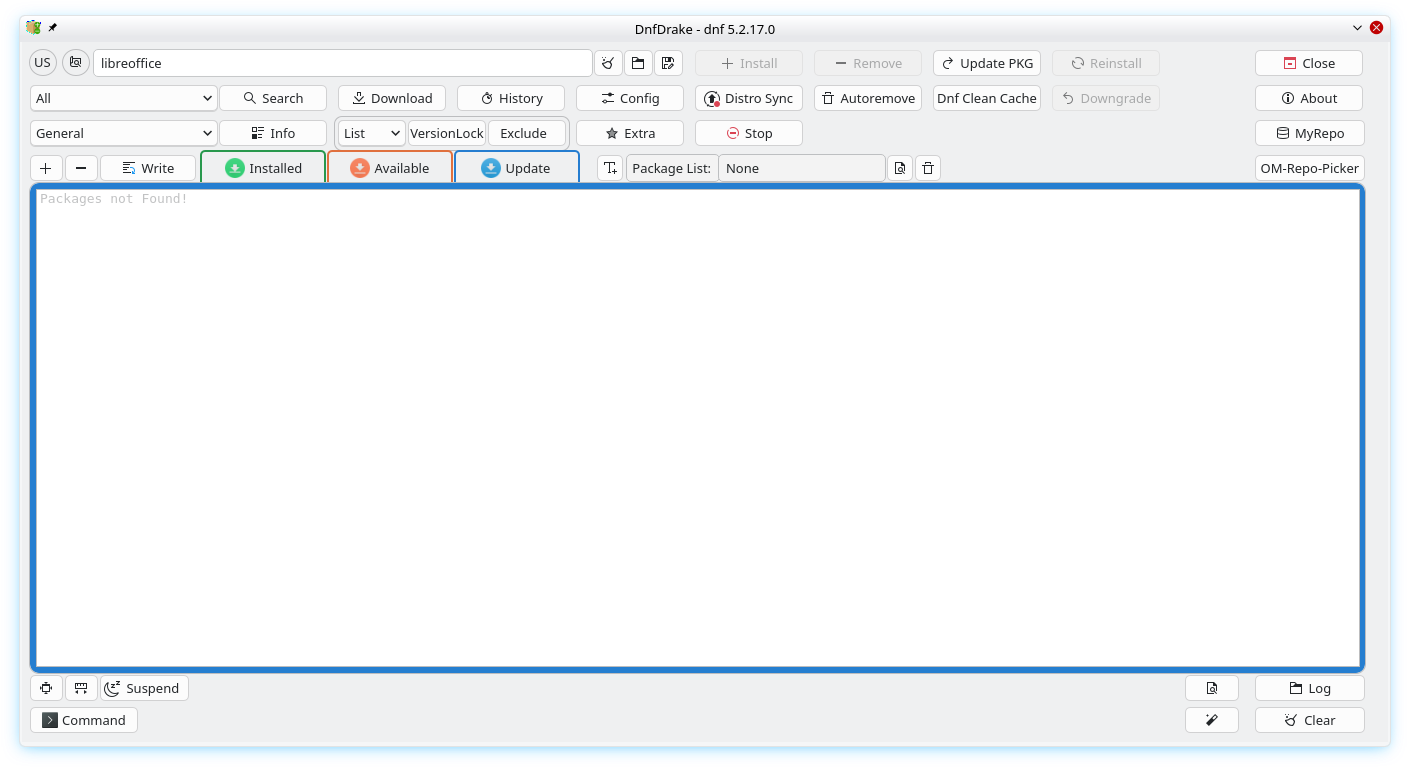
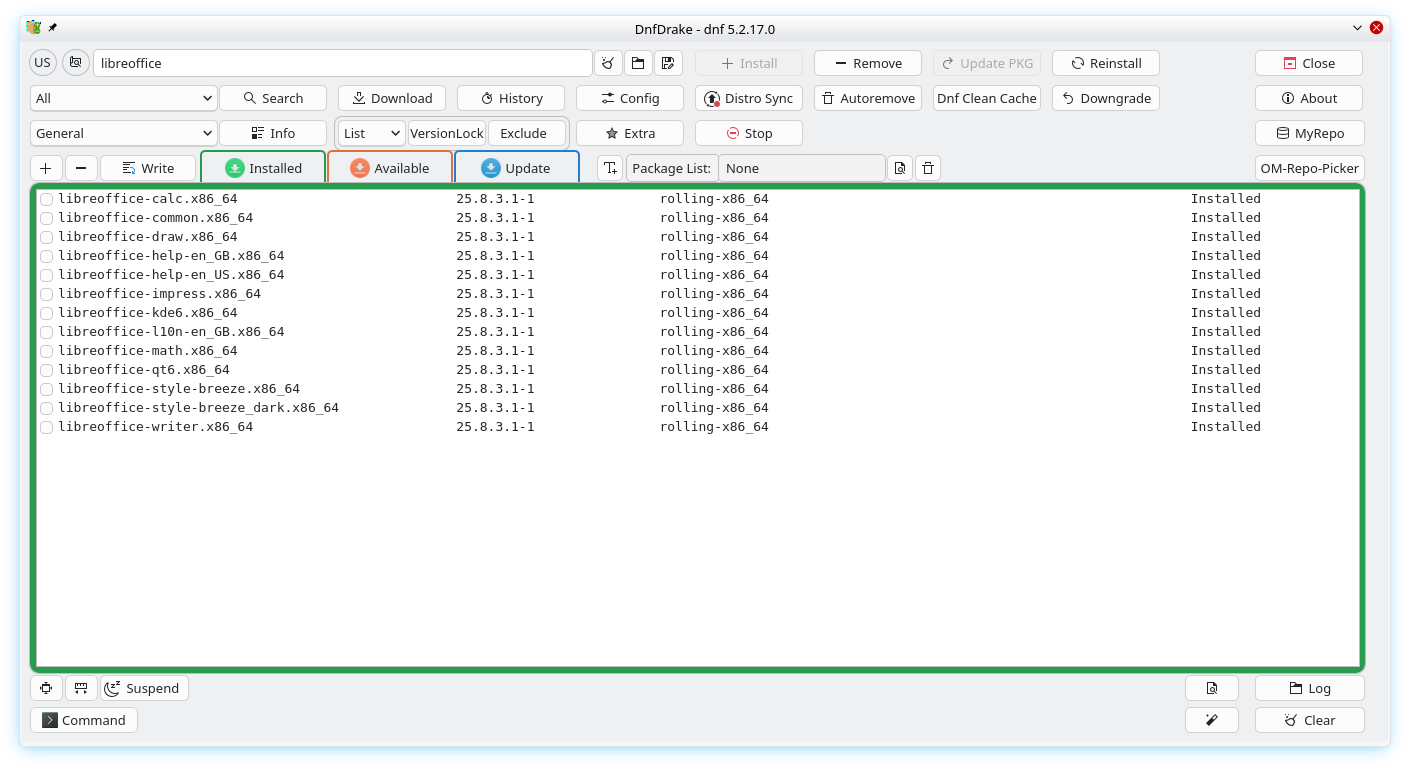
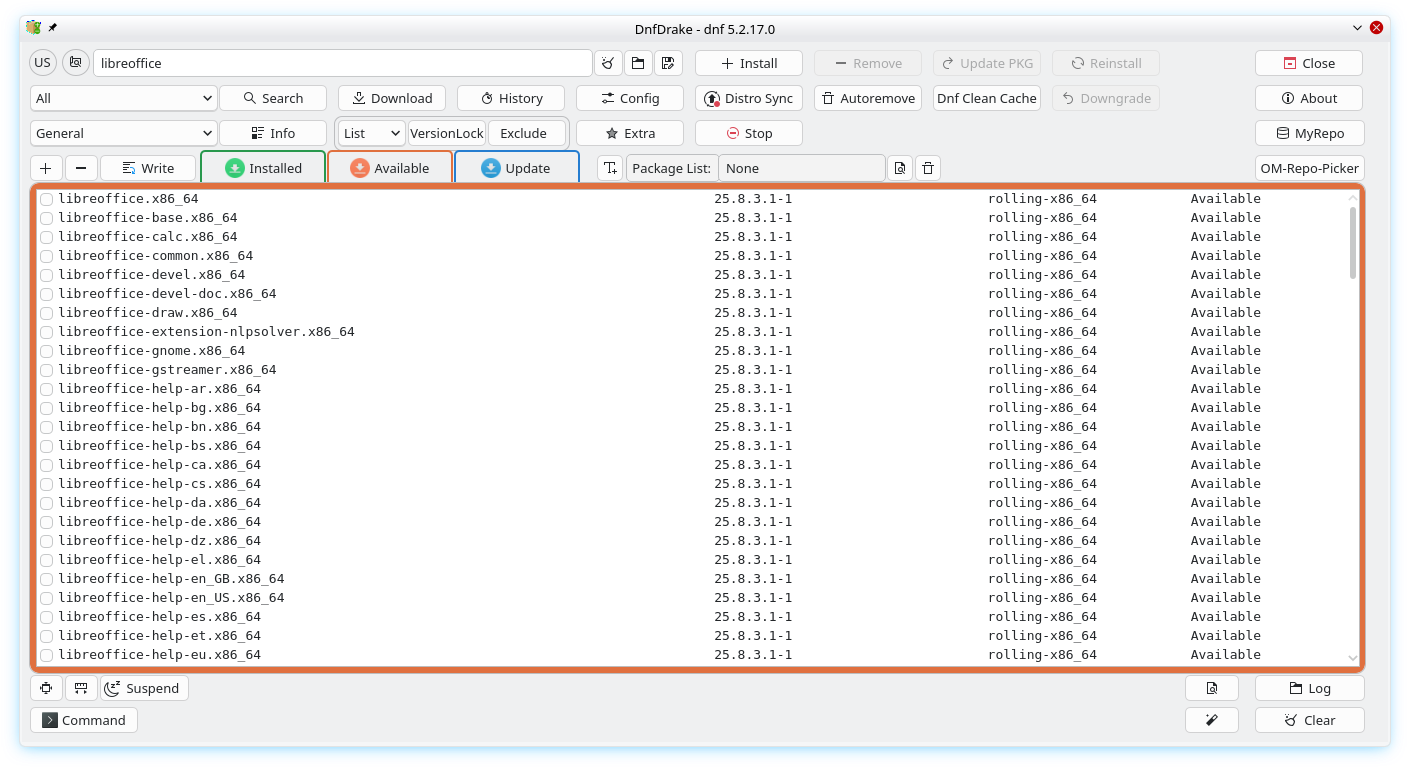
Using LibreOffice as an example:

Installed:

Available:

Update:

I found the documentation, and I did use Synaptic quite a bit with Kubuntu before Lunduke sent me.

DnfDrake Guide

Thanks for the input.
Yeah, I am gradually acquainting myself with dnfdrake, and am getting to be familiar enough to find it useful, but in some ways, I still prefer the dnfdragora interface design, and would like to have that as a functional alternative…
simply personal preference for some of the UI design features… like the way I can use it to search and discover potentially related packages that I do not have previous knowledge of, and thus wouldn’t know what to look for or at via CLI searches.

dnf rq dolphin --requires
Updating and loading repositories:
Repositories loaded.
libKF6Baloo.so.6()(64bit)
libKF6BalooWidgets.so.6()(64bit)
libKF6Bookmarks.so.6()(64bit)
libKF6BookmarksWidgets.so.6()(64bit)
libKF6ColorScheme.so.6()(64bit)
libKF6Completion.so.6()(64bit)
libKF6ConfigCore.so.6()(64bit)
libKF6ConfigGui.so.6()(64bit)
libKF6ConfigWidgets.so.6()(64bit)
libKF6CoreAddons.so.6()(64bit)
libKF6Crash.so.6()(64bit)
libKF6DBusAddons.so.6()(64bit)
libKF6FileMetaData.so.3()(64bit)
libKF6GuiAddons.so.6()(64bit)
libKF6I18n.so.6()(64bit)
libKF6IconThemes.so.6()(64bit)
libKF6JobWidgets.so.6()(64bit)
libKF6KCMUtils.so.6()(64bit)
libKF6KCMUtilsCore.so.6()(64bit)
libKF6KIOCore.so.6()(64bit)
libKF6KIOFileWidgets.so.6()(64bit)
libKF6KIOGui.so.6()(64bit)
libKF6KIOWidgets.so.6()(64bit)
libKF6NewStuffWidgets.so.6()(64bit)
libKF6Notifications.so.6()(64bit)
libKF6Parts.so.6()(64bit)
libKF6Service.so.6()(64bit)
libKF6Solid.so.6()(64bit)
libKF6UserFeedbackCore.so.6()(64bit)
libKF6UserFeedbackWidgets.so.6()(64bit)
libKF6WidgetsAddons.so.6()(64bit)
libKF6WindowSystem.so.6()(64bit)
libKF6XmlGui.so.6()(64bit)
libQt6Core.so.6()(64bit)
libQt6Core.so.6(Qt_6)(64bit)
libQt6DBus.so.6()(64bit)
libQt6DBus.so.6(Qt_6)(64bit)
libQt6Gui.so.6()(64bit)
libQt6Gui.so.6(Qt_6)(64bit)
libQt6Gui.so.6(Qt_6_PRIVATE_API)(64bit)
libQt6Multimedia.so.6()(64bit)
libQt6Multimedia.so.6(Qt_6)(64bit)
libQt6MultimediaWidgets.so.6()(64bit)
libQt6MultimediaWidgets.so.6(Qt_6)(64bit)
libQt6Widgets.so.6()(64bit)
libQt6Widgets.so.6(Qt_6)(64bit)
libQt6Xml.so.6()(64bit)
libQt6Xml.so.6(Qt_6)(64bit)
libc.so.6()(64bit)
libc.so.6(GLIBC_2.14)(64bit)
libc.so.6(GLIBC_2.2.5)(64bit)
libc.so.6(GLIBC_2.32)(64bit)
libc.so.6(GLIBC_2.34)(64bit)
libc.so.6(GLIBC_2.4)(64bit)
libdolphinprivate.so.6()(64bit)
libpackagekitqt6.so.1()(64bit)
libstdc++.so.6()(64bit)
libstdc++.so.6(CXXABI_1.3)(64bit)
libstdc++.so.6(CXXABI_1.3.9)(64bit)
libstdc++.so.6(GLIBCXX_3.4)(64bit)
libstdc++.so.6(GLIBCXX_3.4.14)(64bit)
libstdc++.so.6(GLIBCXX_3.4.18)(64bit)
libstdc++.so.6(GLIBCXX_3.4.29)(64bit)
libstdc++.so.6(GLIBCXX_3.4.5)(64bit)
libstdc++.so.6(GLIBCXX_3.4.9)(64bit)
rpmlib(LargeFiles) <= 4.12.0-1
rpmlib(PayloadIsZstd) <= 5.4.18-1
rtld(GNU_HASH)
dnf rq dolphin --depends
Updating and loading repositories:
Repositories loaded.
libKF6Baloo.so.6()(64bit)
libKF6BalooWidgets.so.6()(64bit)
libKF6Bookmarks.so.6()(64bit)
libKF6BookmarksWidgets.so.6()(64bit)
libKF6ColorScheme.so.6()(64bit)
libKF6Completion.so.6()(64bit)
libKF6ConfigCore.so.6()(64bit)
libKF6ConfigGui.so.6()(64bit)
libKF6ConfigWidgets.so.6()(64bit)
libKF6CoreAddons.so.6()(64bit)
libKF6Crash.so.6()(64bit)
libKF6DBusAddons.so.6()(64bit)
libKF6FileMetaData.so.3()(64bit)
libKF6GuiAddons.so.6()(64bit)
libKF6I18n.so.6()(64bit)
libKF6IconThemes.so.6()(64bit)
libKF6JobWidgets.so.6()(64bit)
libKF6KCMUtils.so.6()(64bit)
libKF6KCMUtilsCore.so.6()(64bit)
libKF6KIOCore.so.6()(64bit)
libKF6KIOFileWidgets.so.6()(64bit)
libKF6KIOGui.so.6()(64bit)
libKF6KIOWidgets.so.6()(64bit)
libKF6NewStuffWidgets.so.6()(64bit)
libKF6Notifications.so.6()(64bit)
libKF6Parts.so.6()(64bit)
libKF6Service.so.6()(64bit)
libKF6Solid.so.6()(64bit)
libKF6UserFeedbackCore.so.6()(64bit)
libKF6UserFeedbackWidgets.so.6()(64bit)
libKF6WidgetsAddons.so.6()(64bit)
libKF6WindowSystem.so.6()(64bit)
libKF6XmlGui.so.6()(64bit)
libQt6Core.so.6()(64bit)
libQt6Core.so.6(Qt_6)(64bit)
libQt6DBus.so.6()(64bit)
libQt6DBus.so.6(Qt_6)(64bit)
libQt6Gui.so.6()(64bit)
libQt6Gui.so.6(Qt_6)(64bit)
libQt6Gui.so.6(Qt_6_PRIVATE_API)(64bit)
libQt6Multimedia.so.6()(64bit)
libQt6Multimedia.so.6(Qt_6)(64bit)
libQt6MultimediaWidgets.so.6()(64bit)
libQt6MultimediaWidgets.so.6(Qt_6)(64bit)
libQt6Widgets.so.6()(64bit)
libQt6Widgets.so.6(Qt_6)(64bit)
libQt6Xml.so.6()(64bit)
libQt6Xml.so.6(Qt_6)(64bit)
libc.so.6()(64bit)
libc.so.6(GLIBC_2.14)(64bit)
libc.so.6(GLIBC_2.2.5)(64bit)
libc.so.6(GLIBC_2.32)(64bit)
libc.so.6(GLIBC_2.34)(64bit)
libc.so.6(GLIBC_2.4)(64bit)
libdolphinprivate.so.6()(64bit)
libpackagekitqt6.so.1()(64bit)
libstdc++.so.6()(64bit)
libstdc++.so.6(CXXABI_1.3)(64bit)
libstdc++.so.6(CXXABI_1.3.9)(64bit)
libstdc++.so.6(GLIBCXX_3.4)(64bit)
libstdc++.so.6(GLIBCXX_3.4.14)(64bit)
libstdc++.so.6(GLIBCXX_3.4.18)(64bit)
libstdc++.so.6(GLIBCXX_3.4.29)(64bit)
libstdc++.so.6(GLIBCXX_3.4.5)(64bit)
libstdc++.so.6(GLIBCXX_3.4.9)(64bit)
rpmlib(LargeFiles) <= 4.12.0-1
rpmlib(PayloadIsZstd) <= 5.4.18-1
rtld(GNU_HASH)

dnf rq --whatrequires dolphin
Updating and loading repositories:
Repositories loaded.
audiokonverter-0:6.0.0-1.noarch
audiokonverter-0:6.0.0-3.noarch
dolphin-devel-0:25.12.0-1.x86_64
dolphin-plugins-0:25.08.3-2.x86_64
kde-service-menu-reimage-0:2.6.0-0.beta.2.x86_64
task-plasma-minimal-0:5.27.3-3.x86_64
dnf rq --whatdepends dolphin
Updating and loading repositories:
Repositories loaded.
audiokonverter-0:6.0.0-1.noarch
audiokonverter-0:6.0.0-3.noarch
dolphin-devel-0:25.12.0-1.x86_64
dolphin-plugins-0:25.08.3-2.x86_64
kde-service-menu-reimage-0:2.6.0-0.beta.2.x86_64
kio-fuse-0:5.1.1~20251004-1.x86_64
nextcloud-client-dolphin-0:4.0.3-1.x86_64
task-plasma-minimal-0:5.27.3-3.x86_64

Also:
DnfDrake overview
https://forum.openmandriva.org/t/3929/230
https://forum.openmandriva.org/tag/dnfdrake
(Sooner or later I will find the time to update the screenshots and the content)

I suspect we cannot fix something neglected/abandoned by its own authors.

Again, report issues at their github page.

I’ll ask Santa Clause bring me a group visualization for Dnfdrake😀

2 Likes