The numlock zoo

  1. I first used Cooker when it was building Mandrake 8.1 or so (longggg time ago)
  2. I installed Lx 25.90 Nickel in December, but hadn’t touched it since then until today, and don’t remember much about the installation, though likely this subject played a part in leaving it fallow so long.
  3. I’m a touch typist - NUM must always be enabled. I shouldn’t have to look at the keyboard to see if NUM is still set to match the BIOS state = ON.
  4. package numlock is installed.
  5. systemctl reports numlock service is generated, but it doesn’t do anything detectable by me.
  6. package chkconfig is installed, which contains no chkconfig command, but does contain alternatives and update-alternatives commands.
  7. nothing exists in /etc/alternatives that looks like anything to do with numlock; --list only shows gs, ebtables, ssh-askpass, dvbtune, lightdm-greeter & bssh-askpass. Attempts to find examples how to use alternatives to create something in /etc/alternatives to /etc/rc.d/init.d/numlock get me nowhere, nothing but usage messages.
  8. in Mageia 9 if not 10, where OpenMandriva seems to match num* files in /etc/ [profile.d/,rc.d/initd./]numlock, numlock ON on the ttys is enabled via chkconfig, hence my failed attempt to utilize chkconfig to enable it.
  9. Searching for getting NUM ON turns up SDDM, LightDM, Plasma, etc. but nothing that isn’t pre-systemd about tty enabling.
  10. Nothing in /etc/sysconfig looks relevant to NUM state.

Help me get NUM ON to stay please.

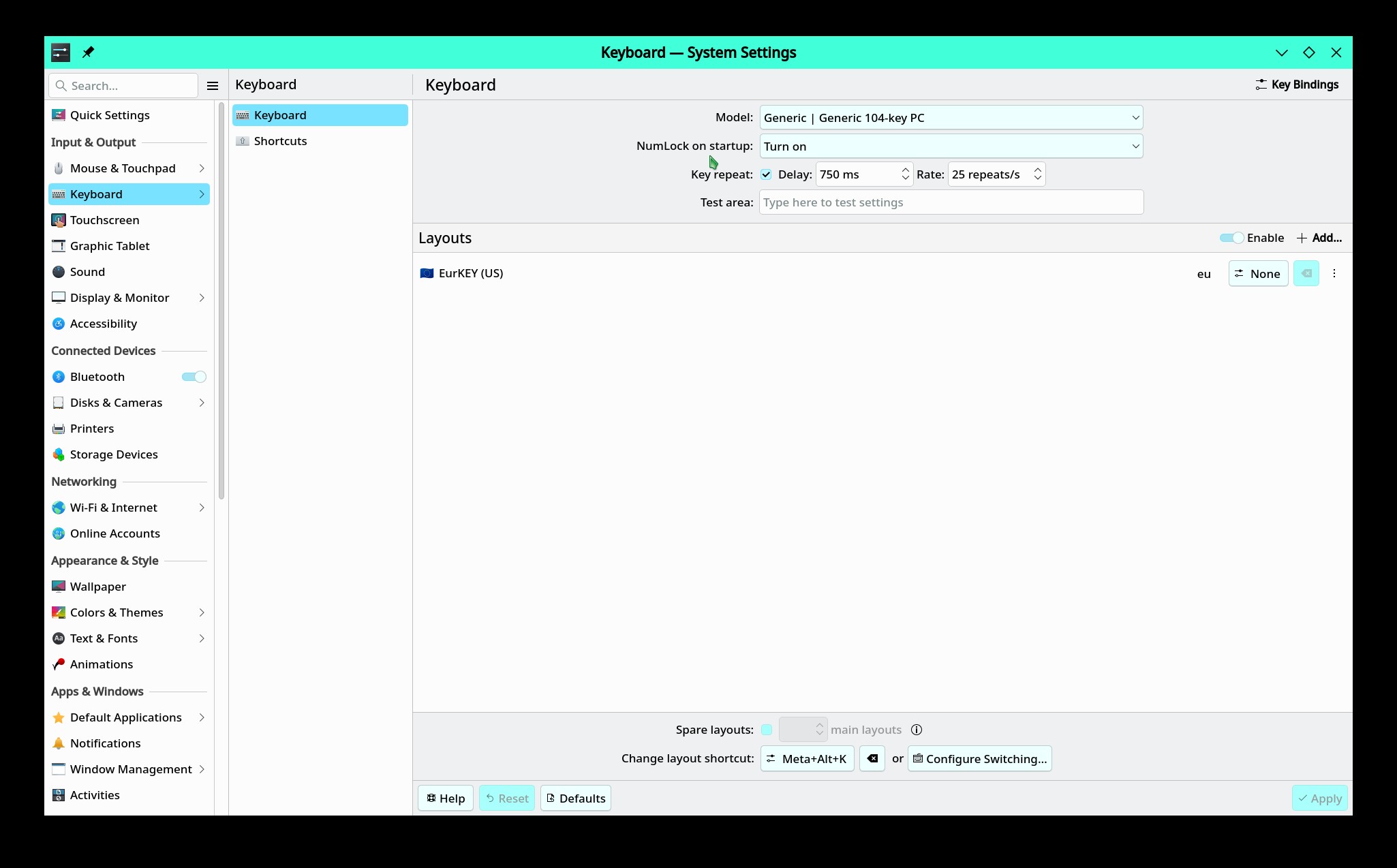
Under “Keyboard” in the KDE Settings menu there is a “NumLock on startup” drop-down that can be set to “Turn on.” Does that work for your situation?

Welcome @mrmazda.

What desktop are you using?

Edit: If Plasma6:

I do not know why this is not enabled by default, to me it seems it should be, but there may be some reason.

Make sure Num Lock is on in the BIOS/UEFI

I know that works for Plasma, but I don’t see how a Plasma setting would, or should, be responsible for behavior on ttys. This needs to be done from without X, whether X is working or not. Ttys don’t need X working, but they do need dependable keyboard behavior.

It is, and works just fine with Debian, Fedora, Mageia, Ubuntu, openSUSE, and Mint. It’s pretty simple in openSUSE, just edit /etc/sysconfig/keyboard to include KBD_NUMLOCK="yes". Just every distro and DE has a different means to turn NUM back ON after the kernel rudely turns it off, and turn it back ON when it or anything else sneaks it off again.

There is a systemd program that is supposed to help with this in the tty.

It is just text and it hasn’t been updated in years, so you should be able to just install it and not have to worry about getting updates.

Thank you. It works, the old numlockx of decades past, repackaged for systemd:

# cat /usr/bin/numlockOnTty
#!/bin/bash

for tty in /dev/tty{1..6}
do
    /usr/bin/setleds -D +num < "$tty";
done
# cat /etc/systemd/system/numlockOnTty.service
[Unit]
Description=numlock

[Service]
ExecStart=/usr/bin/numlockOnTty
StandardInput=tty
RemainAfterExit=yes

[Install]
WantedBy=multi-user.target
# systemctl list-unit-files | grep num
numlockOnTty.service                         enabled         disabled
#

It ought to be packaged, so easier to find than web searching or starting a new forum thread. :slight_smile:

1 Like

I’m happy that it worked for you!

I never noticed this before.

But, of course, as soon as I drop to a tty to see - there you go - numlock off. :thinking:

Thanks you guys for finding this. I’ll be adding it to the system asap.

:penguin: :trophy:

If someone has a laptop or a ten keyless keyboard, they would not want this on. I would guess that it could be installed and only start the service manually, if the user wanted it.
I tried installing this, but there were no instructions on the git

numlockontty/PKGBUILD at master · aur-archive/numlockontty · GitHub looks like the files go in different locations.

/usr/bin/numlockOnTty

Make it executable with

chmod +x numlockOnTty

/etc/systemd/system/numLockOnTty.service

sudo systemctl enable numLockOnTty ––now

I will try later when I get to my PC

1 Like

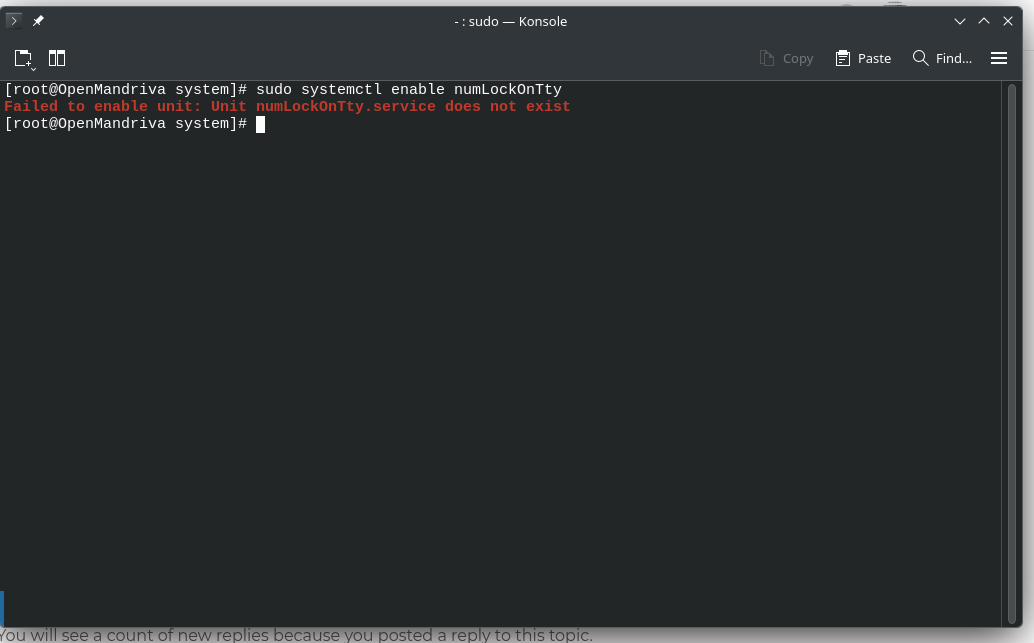
All files moved in correct places, but getting this error. I am still trying to figure it out.

It really needs to be in package format, so you can download it from github, make or whatever you wish, and then it just installs.

If you are already root, you don’t need sudo. Don’t know if that is the problem.

No I have tried it both ways. It just cannot find the file

I figured it out!!!

Using the locations given in the AUR, Here are the steps

first make the numlockOnTty executable,

chmod +x numlockOnTty

Then type

sudo mv numlockOnTty /usr/bin/numlockOnTty

(this is the important part here)
rename numlockOnTty.service to numlockontty.service (all lowercase)

then you can

sudo mv numlockontty.service /etc/systemd/system/

once done

sudo systemctl enable numlockontty --now

Since this was requested as a package, I do not know how to do package it and tell a system where to put those files.