Tradotto con Vivaldi Browser:
Non ricordo quale sia la differenza esatta tra il firmware xxx.4M.ms.fd e quello xxx.4M.fd. Mi dispiace.
Ma ci sarà sempre una differenza nel layout delle partizioni tra un’installazione BIOS e una UEFI (ovviamente).
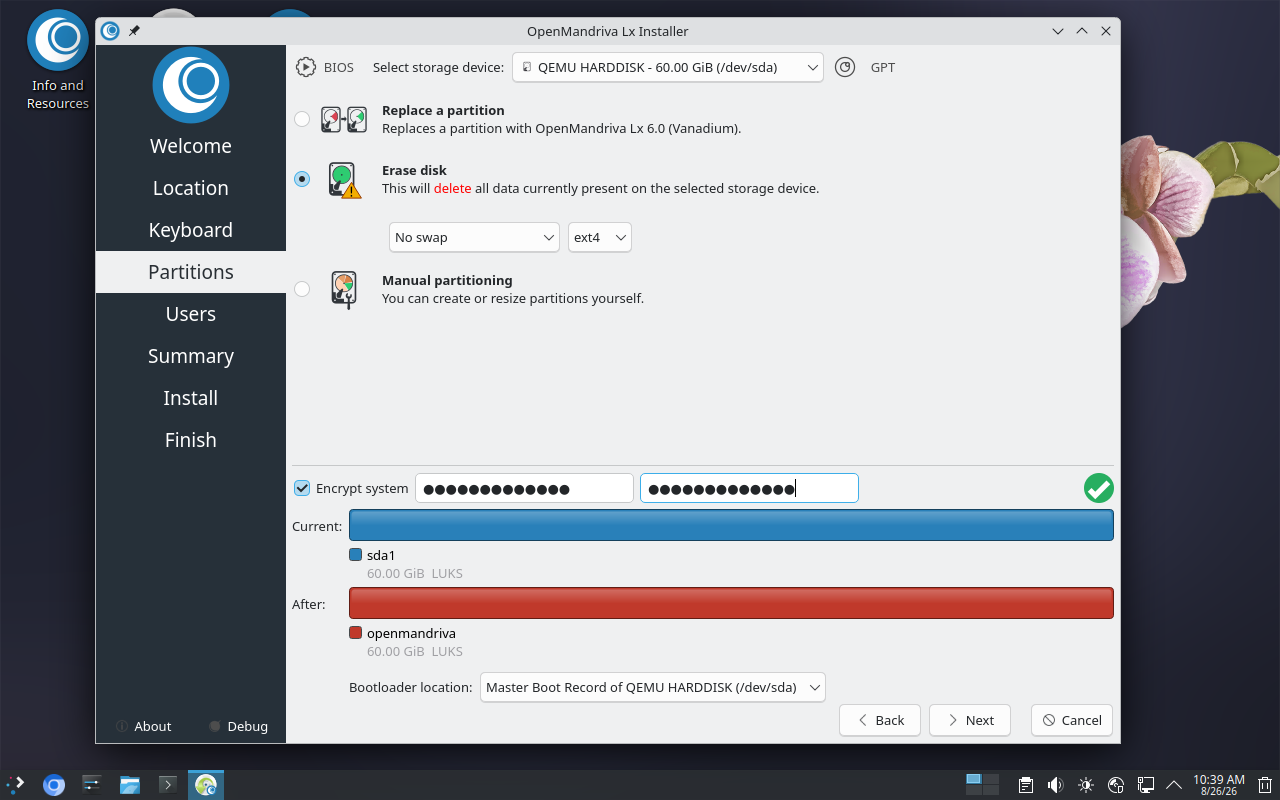
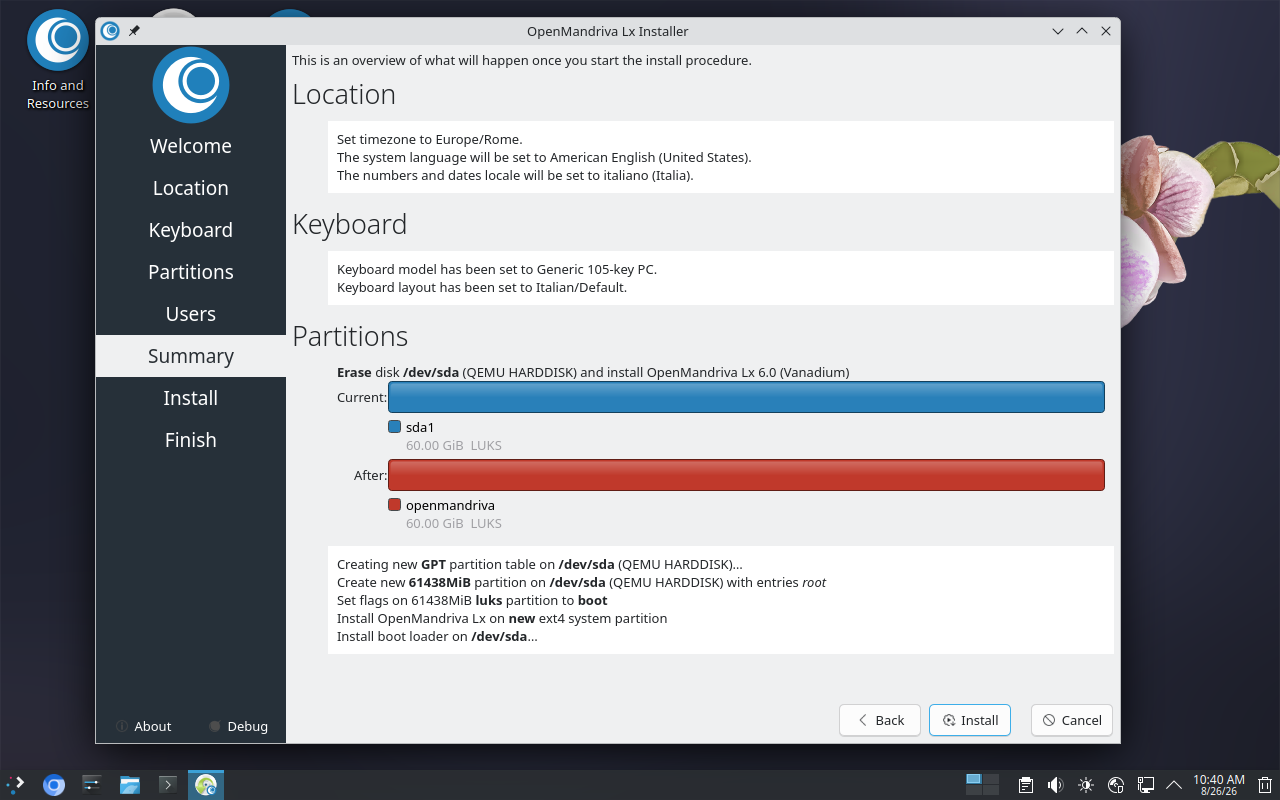
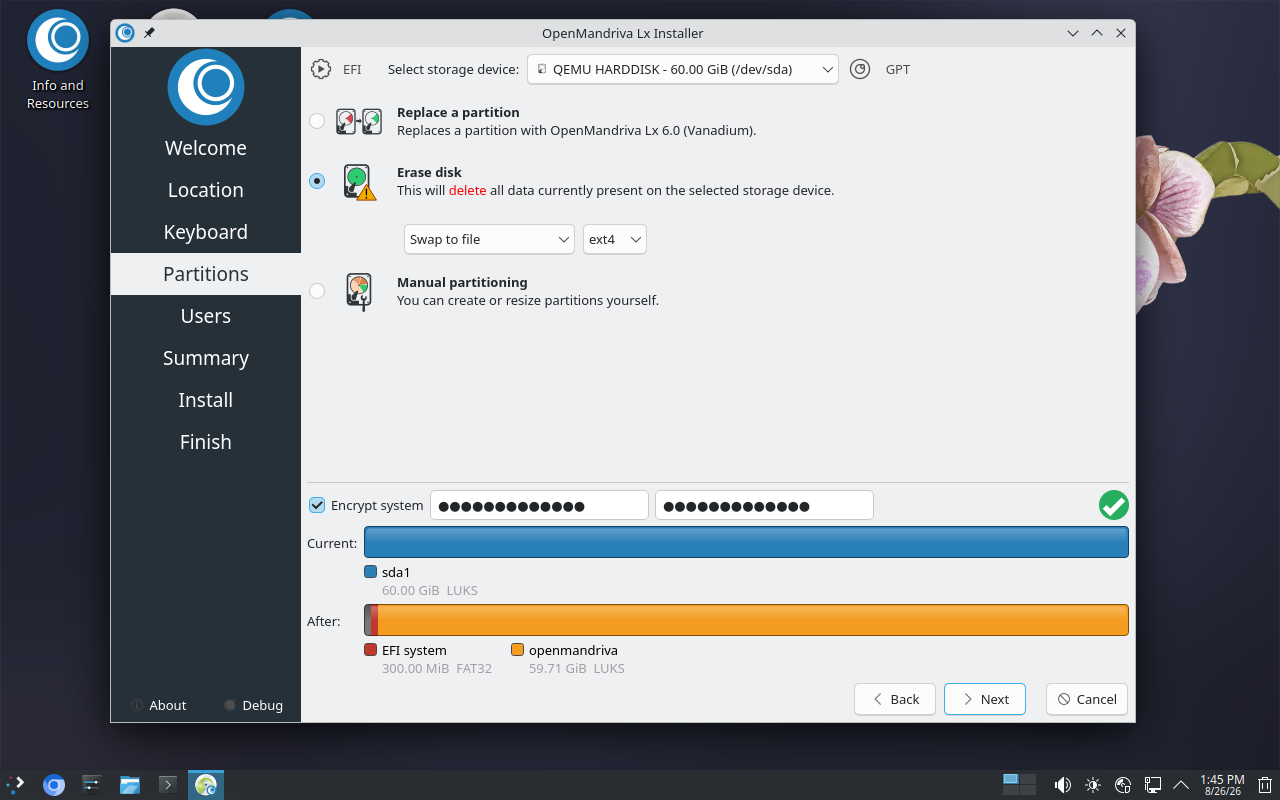
Ho notato che stai anche provando a crittografare l’unità. Affinché la crittografia completa del disco funzioni, la partizione /boot deve essere non crittografata (altrimenti è necessario superare molti ostacoli per ricostruire il sistema di avvio).
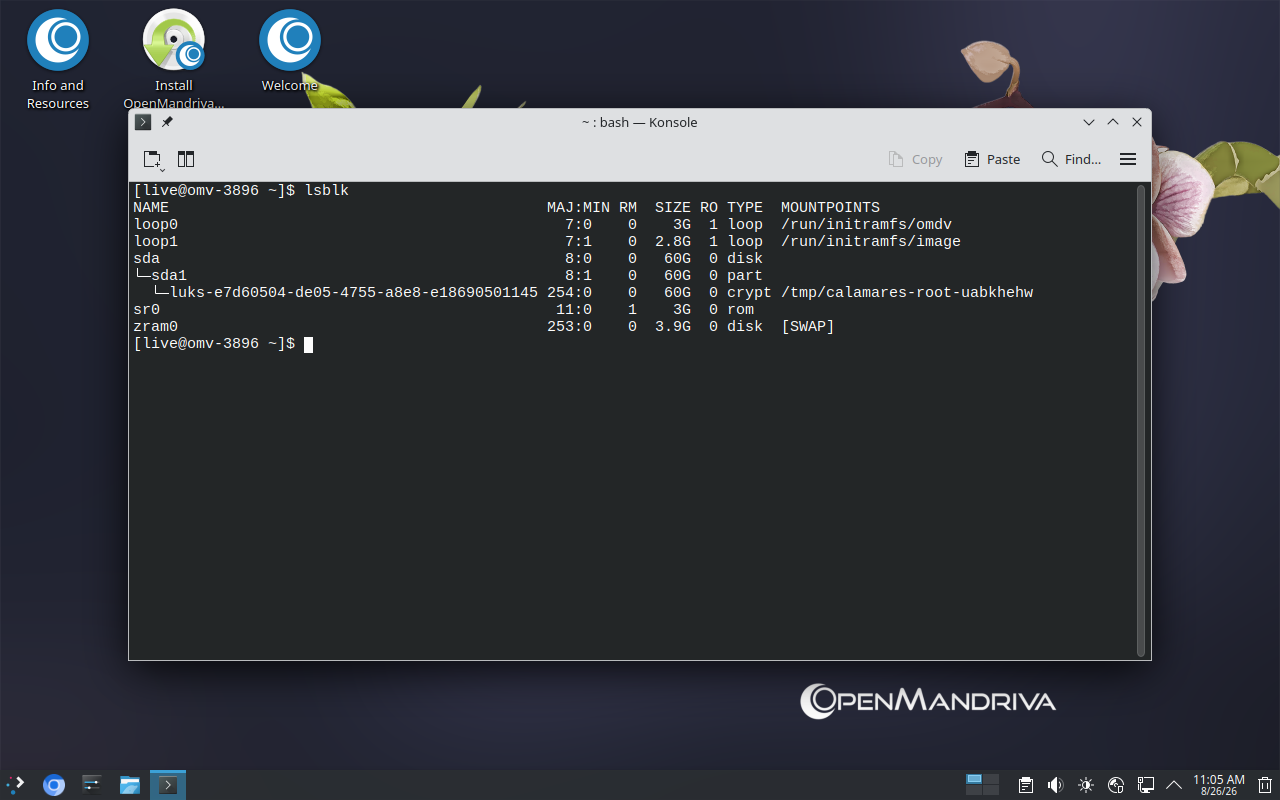
In ogni caso, durante l’installazione del BIOS, tutto viene trasferito in un’unica partizione. Che è criptato.
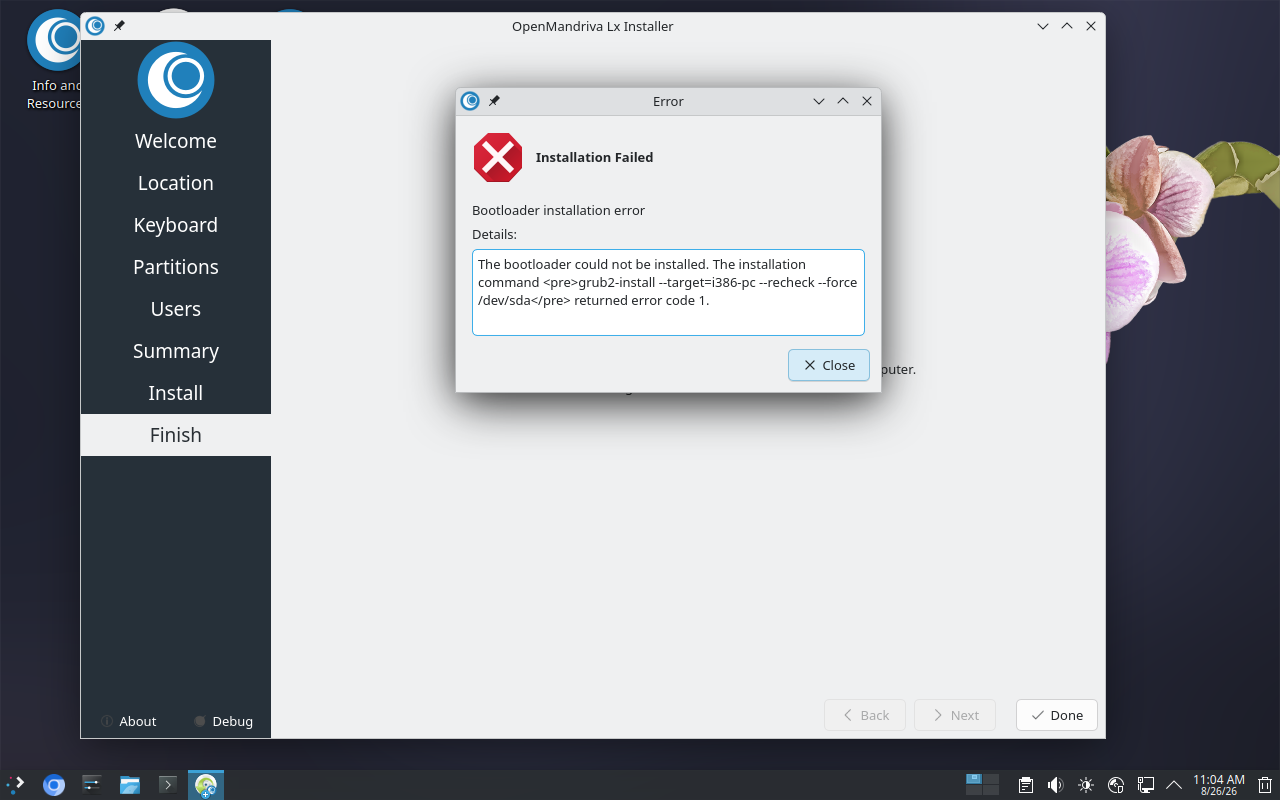
Il firmware di sistema non sa come sbloccare il contenitore luks per l’avvio.
In un sistema uefi, la partizione “/boot” è divisa in 2 parti: uefi/boot e/boot.
L’uefi/boot non è crittografato e conterrà il codice dmcrypt per sbloccare un contenitore luks. Quindi è possibile sbloccare tutte le partizioni /boot, / e /home.
English:
I do not remember what the exact difference is between the xxx.4M.ms.fd and the xxx.4M.fd firmware - sorry.
But there will always be a partition layout difference between a bios vs uefi installation (obviously).
I notice that you are also trying to encrypt the drive. In order for full disk encryption to work, the /boot partition must be unencrypted (or else you have to jump through many hoops to rebuild the boot system).
Regardless though, in your bios install, you have everything going into the single partition. Which is encrypted.
The system firmware doesn’t know how to unlock the luks container to boot.
On a uefi sysytem, the “/boot” partition is broken into 2 parts: uefi/boot and /boot.
The uefi/boot is unencrypted and will contain the dmcrypt code to unlock a luks container. Then the /boot, /, and /home partitions can all be unlocked.