Okay…so background info first. I’ve been working on an install script for myself to aid in any potential reinstalls that I might need to do down the line. After finishing things up, I did a reinstall of ROME on both my laptop and my desktop. My laptop already had ROME installed with a btrfs filesystem with separate root and home partitions to help out with backing things up using grub-btrfs/timeshift-autosnap. So, for my reinstall on my laptop, my plan was to keep my home directory and only reinstall my root directory.
When I went through the Calamares installer, I tried going with the “Replace a Partition” option in the below screenshot, and I selected the root partition as the one to replace.
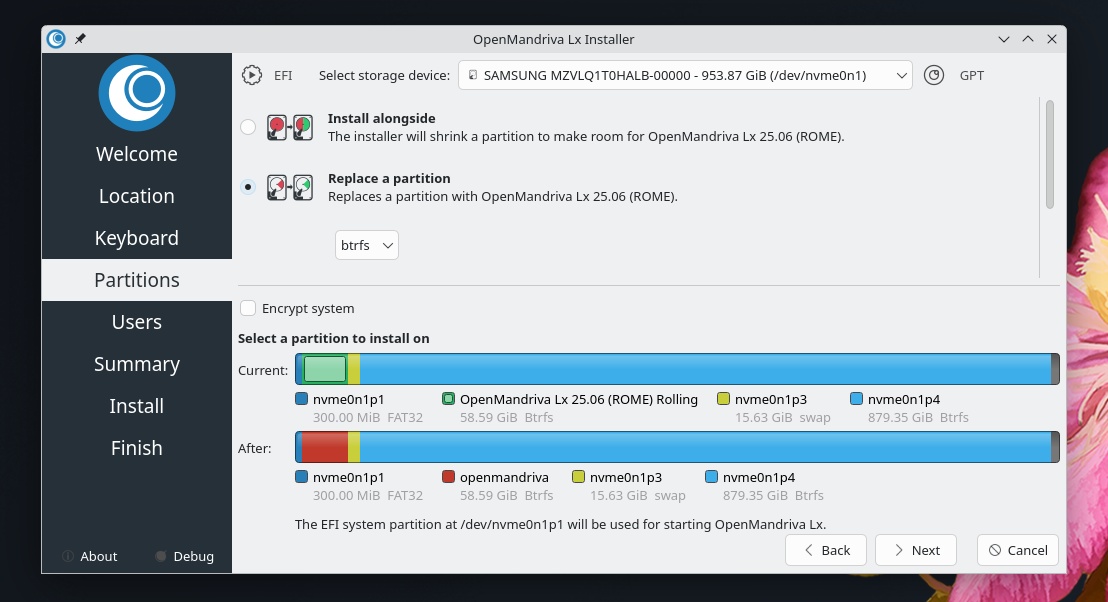
When I reached the Summary page of the installer, I noticed that there was nothing about the home partition mentioned, but I figured that, since I wasn’t replacing it, the fact that it wasn’t mentioned was fine.
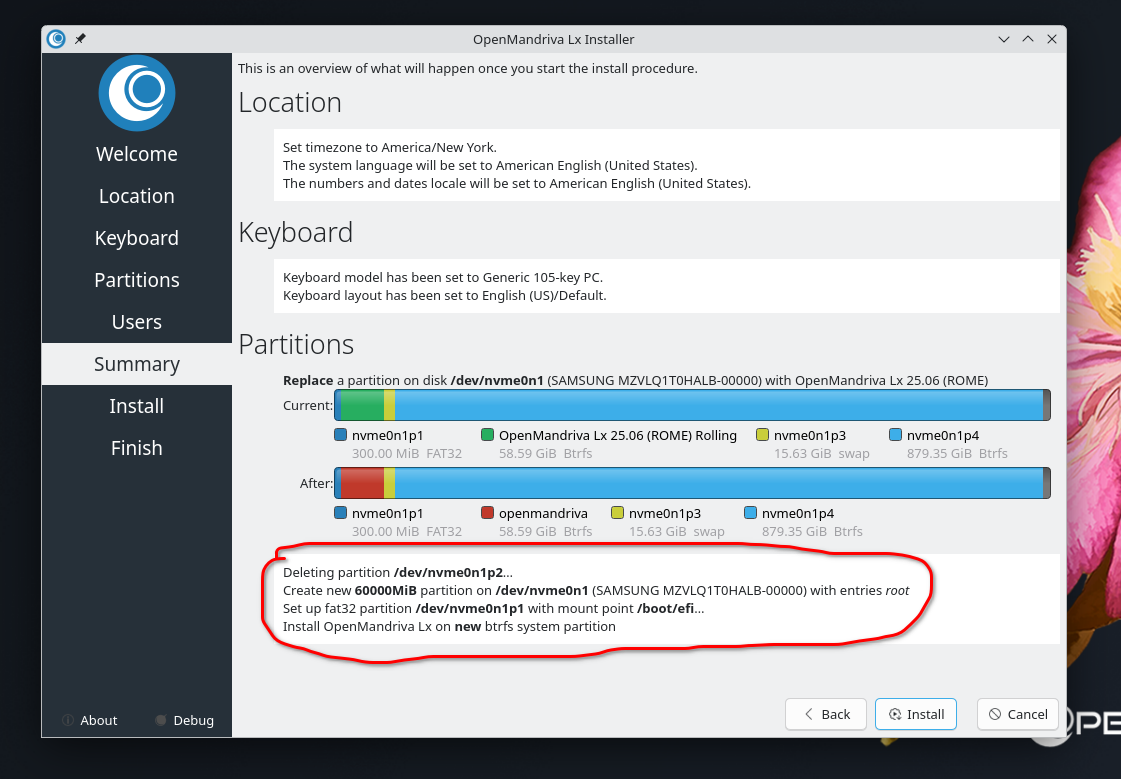
So, I went ahead with the install, everything went fine, and then I booted into my fresh install. Here, I noticed that my old home partition wasn’t mounted, and that a new home directory was made within the root directory. I could manually mount my old home partition to use it, but I didn’t want to have to do that every time I reboot my system. So, I did a second reinstall, but chose to do things Manually, and everything worked out fine.
I’m posting this here to mention that there might be something configured incorrectly with the Calamares installer. If you do a reinstall, select Manual partitioning, and then set things how you need them (by choosing to replace or keep specific partitions), everything works fine and the home directory will mount automatically. If you choose to Replace a partition, though, unless you’re replacing your home partition, it won’t mount automatically.
I posted this here in Coffee chat because I wasn’t sure where I should post it. I don’t need any support, as I worked it out on my own. I mostly just wanted to post this in case anyone in the future is looking to do a reinstall and wants to hold onto their home partition. For now, at least, choosing “Replace” isn’t the way to go. Go the Manual route to avoid any issues. 
 ) also related to the system