Nvidia, OM Welcome screen

Hello everyone! I just recently joined Open Mandriva Rock version and wanted to say a huge thank you to all the people who keep this system alive. I recently switched from Windows and am getting used to Linux, and so far it seems amazing. However, I faced an issue, and if someone could assist, I would appreciate it a lot. Here’s a brief description:

I have an AMD processor on my laptop with integrated video and a discrete Nvidia 3070. Somehow, I was able to install the drivers, and the system shows that I’m using Nvidia, but when I log in to the system, it blinks with a black screen and then proceeds to the desktop. The OM Welcome screen also shows as a blank black screen. Sometimes, when I start Steam, the entire screen turns black as well.

What are the ways to resolve this? Thank you!

Hello, and welcome! I hope continue to enjoy OM and stick around for a while!

Now…some clarifying questions, as it can be difficult to provide support without knowing some details.

Are you on Wayland or x11?

Did the welcome screen work for you prior to installing the NVIDIA drivers?

And have you searched the forum for other posts that could be related to the issue you’re experiencing?

@vibro
welcome1

@vibro You find a template to fill with information when you start a new topic in Support.
It’s there for reasons.
Please provide the informations necessary for you to be assisted.

Hey schappellshow!

I’m on x11

Yes, OM Welcome screen used to load fine before installing drivers.

I saw similar topic, but it was closed without updates.

Forum Search [1] [2]

I checked How to setup hybrid GPU with Nvidia?
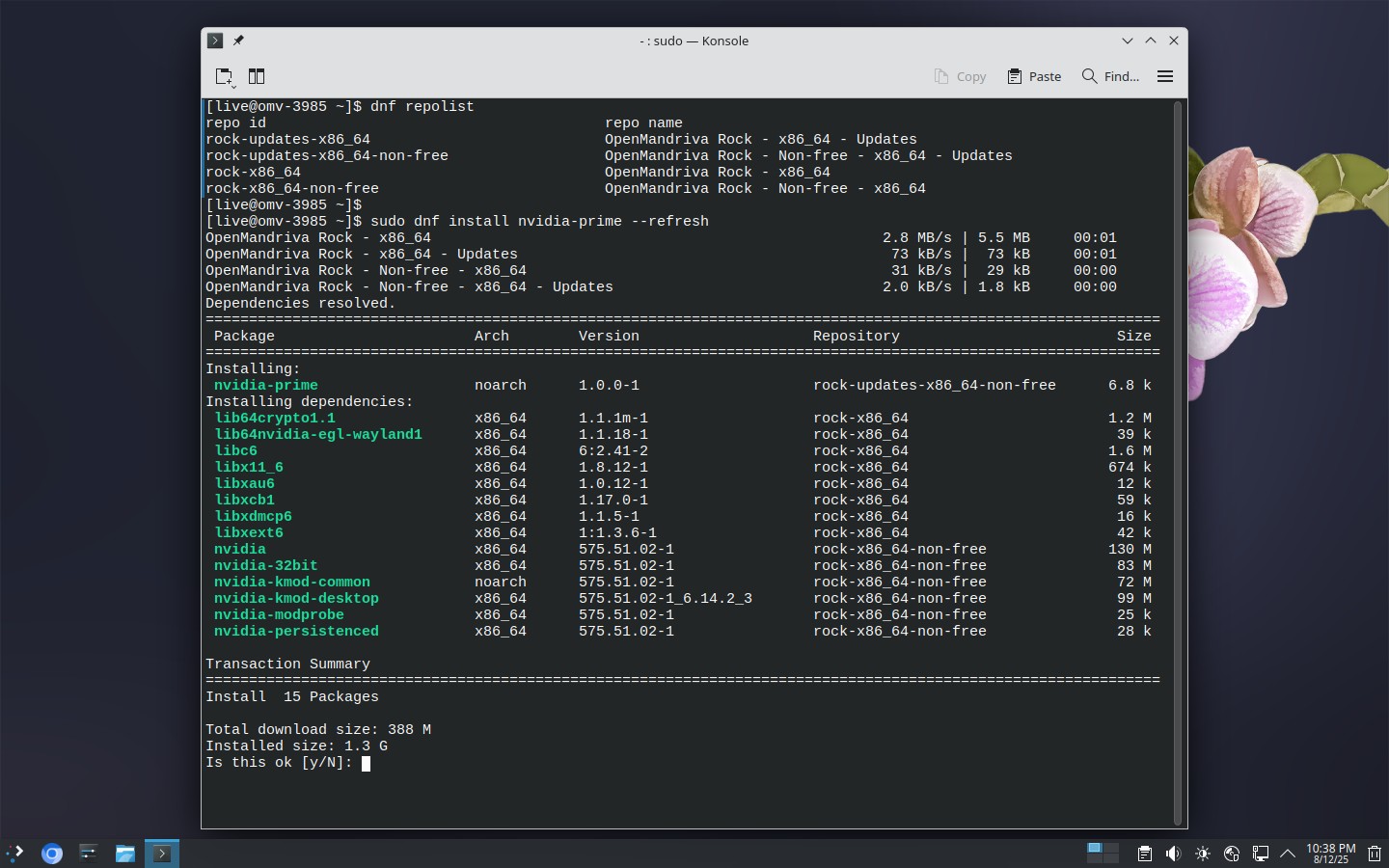
and assuming I need nvidia-prime? When I do dnf search nvidia-prime > No match found

OpenMandriva Lx 6.0 (Vanadium) Rock x86_64

Desktop KDE Plasma 6.3.4

https://forum.openmandriva.org/search?q=nvidia-prime%20order%3Alatest_topic

(You’ll need to enable non-free repository)

No match for argument: nvidia-prime
Error: Unable to find a match: nvidia-prime

I did enable non-free repository :thinking:

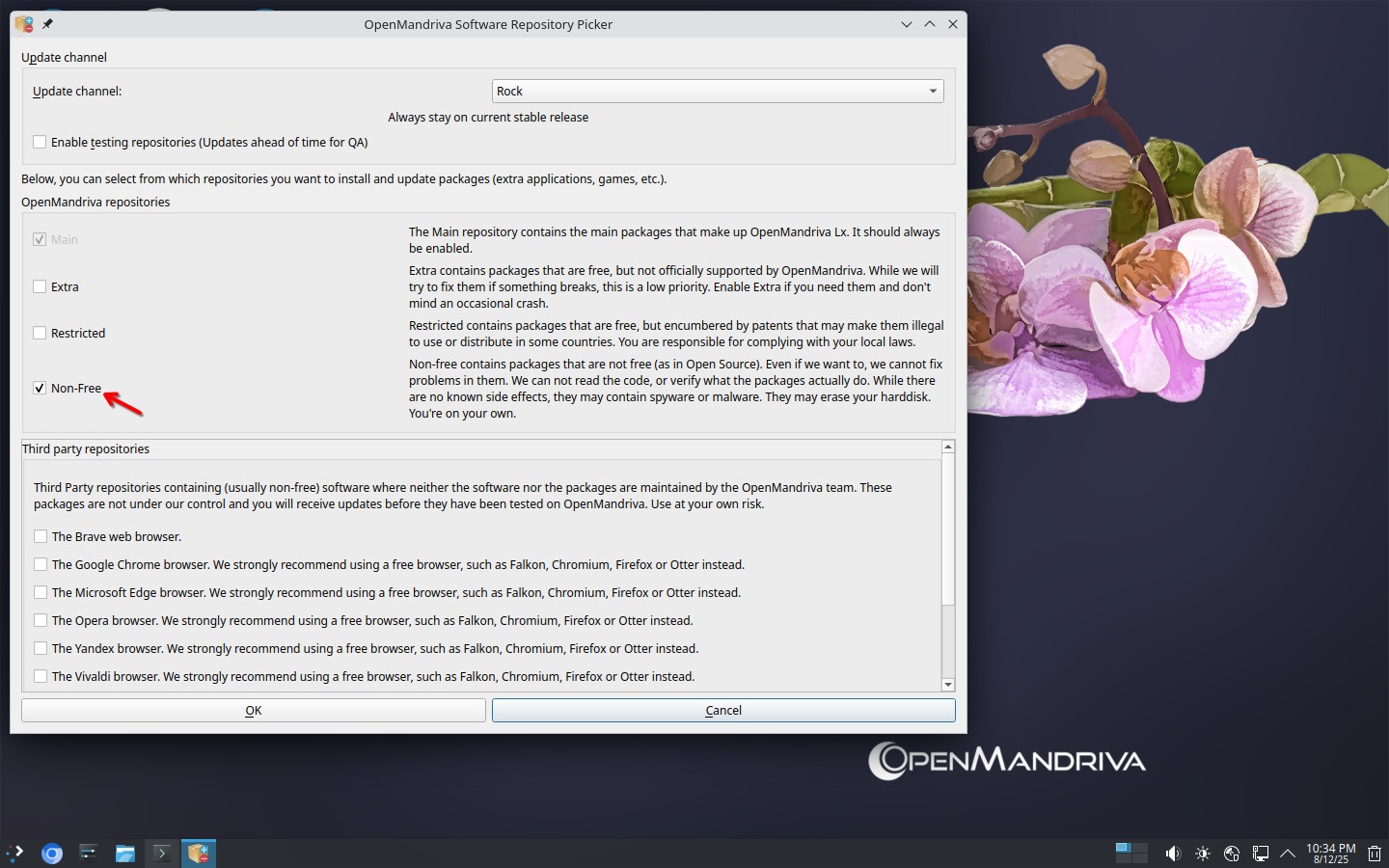
Check in the “OM Repo-Picker” in DnfDrake, and make sure “Non-Free” is checked.

It is checked hmmm

OpenMandriva Rock - x86_64 6.8 kB/s | 2.4 kB 00:00
OpenMandriva Rock - x86_64 - Updates 6.8 kB/s | 2.4 kB 00:00
OpenMandriva Rock - Non-free - x86_64 3.6 kB/s | 2.4 kB 00:00
No match for argument: nvidia-prime
Error: Unable to find a match: nvidia-prime

How did you enable the non-free repository?

I found Software Repository Selector and checked Non-Free like on your screenshot. Also tried DnfDrake which already was checked. Maybe I should uncheck it, update and check again?

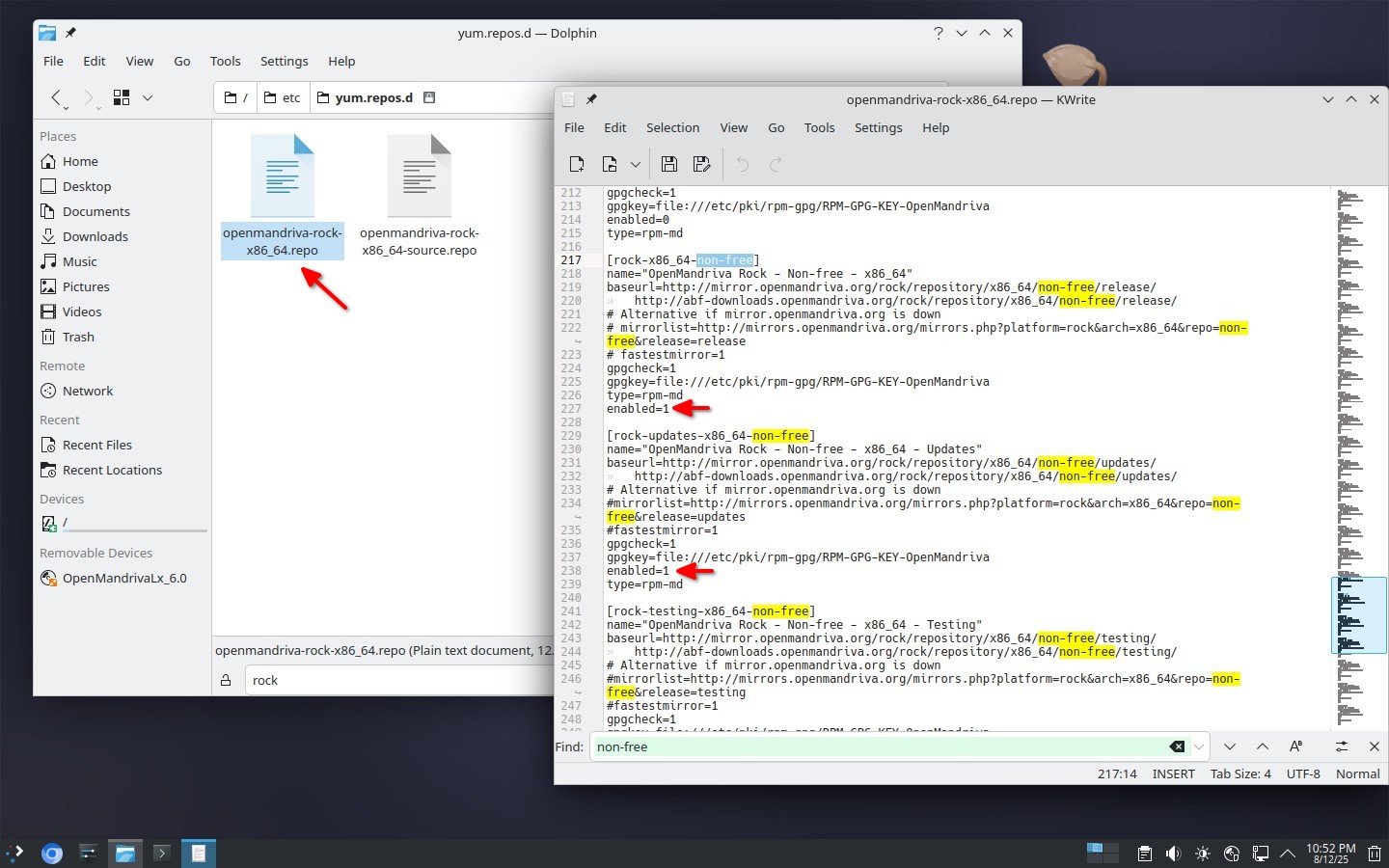
/etc/yum.repos.d/openmandriva-rock-x86_64.repo

Edit file

Then run command:
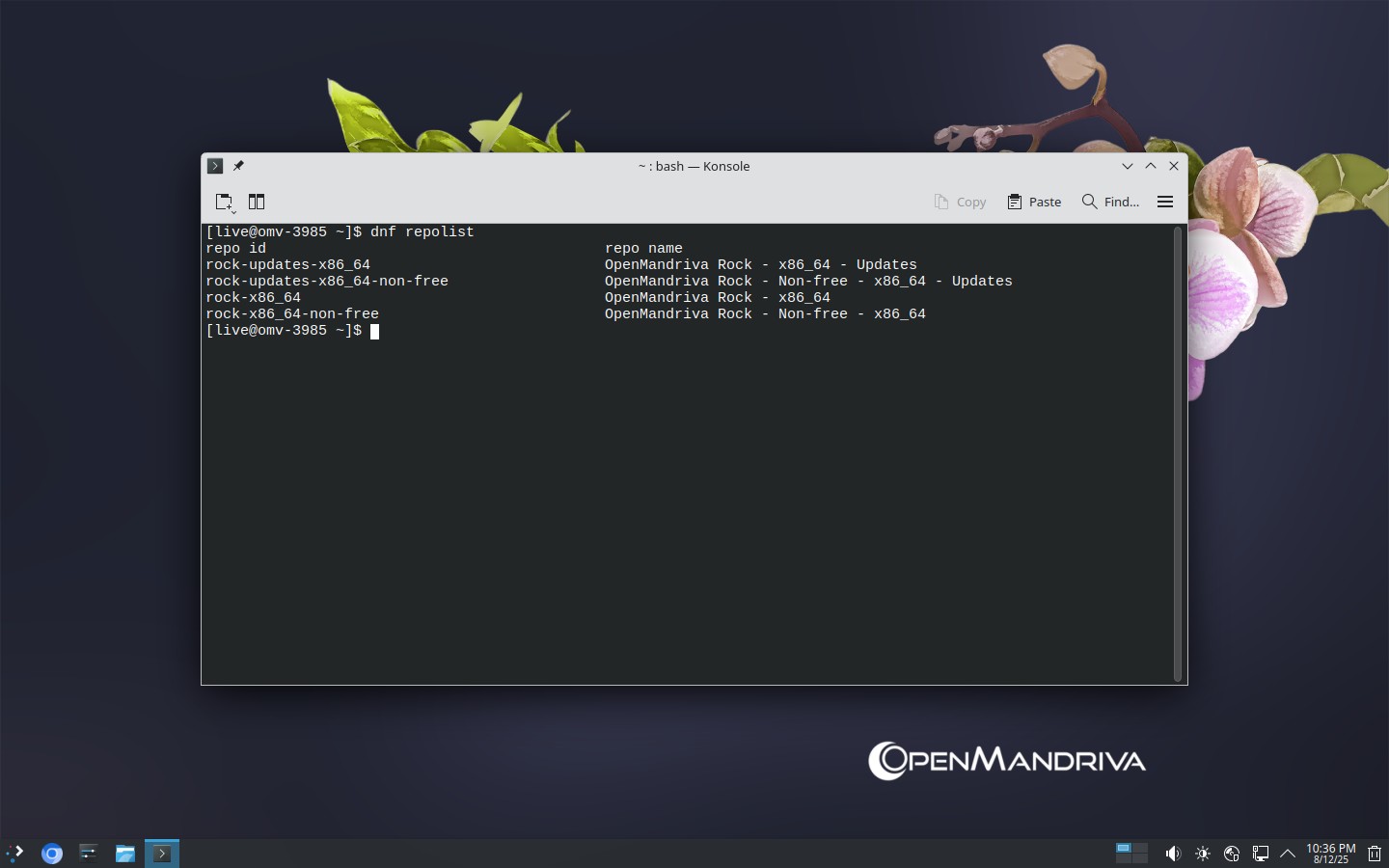
sudo dnf clean all ; dnf clean all ; dnf repolist

Try again.

2 Likes

Mine was on, but thank you @rugyada I had to enable OpenMandriva Rock - Non-free - znver1 - Updates Now I found it.

===================================== Name Exactly Matched: nvidia-prime =====================================
nvidia-prime.noarch : NVIDIA Prime Render Offload utilities

1 Like

Okay this helped and nvidia-prime was installed!!
Do I need to run another commands after?

How znver1 ??

Post output of
cat /etc/release

OpenMandriva Lx release 6.0 (Vanadium) Rock for x86_64

And where you have been able to enable Non-free - znver1 ?