OpenMandriva Lx version:
OpenMandriva Lx release 26.02 (ROME) Rolling for x86_64
Desktop environment (KDE, LXQT…):
KDE 6.5.5
Description of the issue (screenshots if relevant):
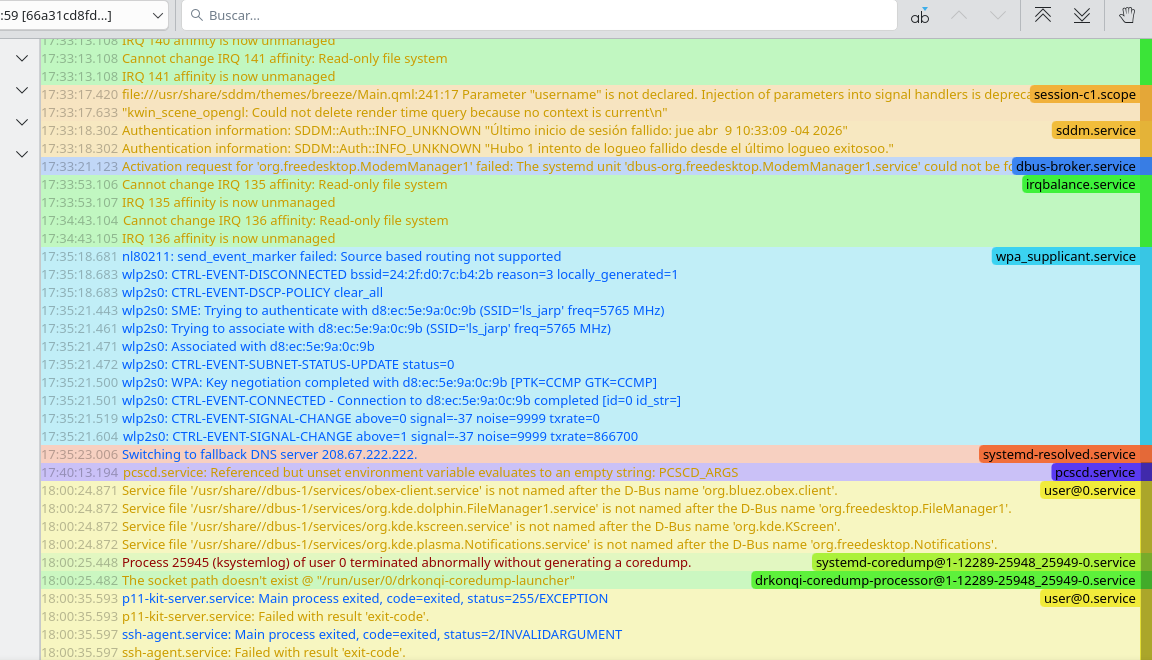
Basically, testing the deafult apps ROME 26.02 on plasma brings, i found that at least kamoso and ksystemlog does not work at all. I had to install kjournald in order to read journalctl in better way, but ksystemlog itself does not open, and journalctl shows the following:
Kamoso also fails to open, but it does not register any log on journalctl. Idk if someone also faces this problem.
I know i could delete these programs with the nodeps argument but i would prefer to avoid deleting any program that is a dependency of plasma-desktop and avoid breaking the system.
had someone faced these problems too?
Relevant informations (hardware involved, software version, logs or output…):
Operating System: OpenMandriva ROME 26.02
KDE Plasma Version: 6.5.5
KDE Frameworks Version: 6.22.0
Qt Version: 6.10.2
Kernel Version: 6.19.0-desktop-1omv2690 (64-bit)
Graphics Platform: Wayland
Processors: 4 × Intel® Core™ i5-6300U CPU @ 2.40GHz
Memory: 8 GiB of RAM (7.6 GiB usable)
Graphics Processor: Intel® HD Graphics 520
Manufacturer: Dell Inc.
Product Name: Latitude 5480
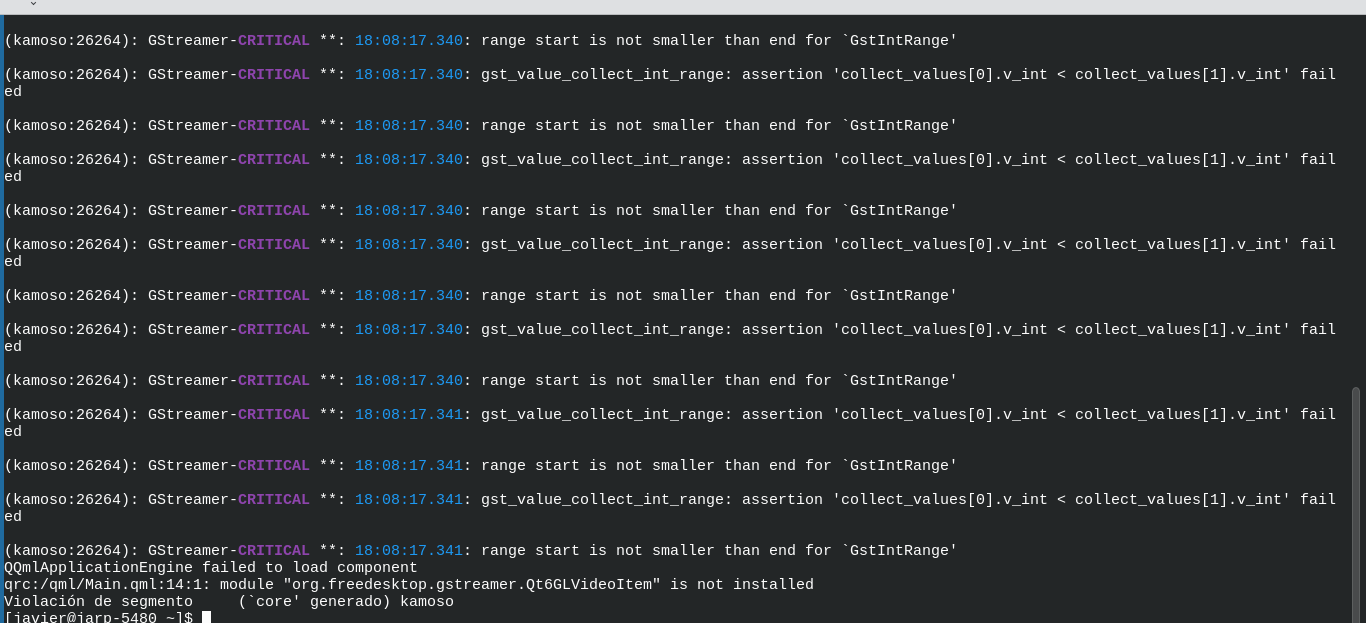
i tried opening kamoso from console and it seems that org.freedesktop.gstreamer.Qt6GLVideoItem is not installed. I looked for it on the repos and it seems this package is not available. Sharing a screen capture of the console:
I guess this would need a package request on github?
i also tried opening ksystemlog from terminal and it opened. i guess there is a problem with the menu entry of Ksystemlog, since the one in the Kicker Menu requires root password (meaning it opens as root) while it opens on terminal without sudo or root privileges. Is there a reason for this behavior?
EDIT: What i did to fix the ksystemlog problem was to:
go to the menu editor
look for ksystemlog
clic on the advance submenu
disable the option open as another user (idk why this was activated by default in the first place but whatever)
problem solved. It opens but of course, not as superuser, but as standard user.
my apologies for not trying this before writing. i tend to be the kind of person that remember solutions right after asking for help lol. In any case i consider appropiate to address this, since it could have happened to someone else, or could happen in the future.
Hello, ksystemlog not starting from the application menu is an upstream issue they have not fixed going back a long time, in short it is meant to be run with elevated privileges, but they have not implemented any standard way of doing that in the application:
If you go to a console and start it using sudo it will run with elevated privileges and have access to all the logs it needs.
If you run it from the console it will perhaps output some more useful information that would maybe help you to provide more informations to help anyone reading this to provide a solution.
If a piece of software crashes on startup it will often never get as far as entering anything into the journal.
kamoso works in Cooker so it should work after then next major upgrade of ROME. Cooker has v. 25.12.3-1 where ROME has v. 25.12.2-1. Do not know why the version in ROME does not work but it could be that the kamoso devs had not finished upgrading it for Plasma6/Qt6. Some KDE apps lag behind when there is a major Plasma upgrade. Or perhaps it was something in Qt6 not yet configured to work with kamoso. You could ask developers at OM-Chat.
@uro after downloading the package you suggested, kamoso opened and shows video, however, it restarts the camera constantly, with the prompt no device detected (my system is in spanish so i am translating what it says lol. It might not be exactly what i wrote, but that’s that).
It can take pictures but videos tend to stop abruptly because of that problem.
EDIT: After restarting the pc it seems it is working now. Perhaps the gstreamer package needed a restart to work properly on kamoso. In any case, i will be testing it for a little longer and if it works well, i will update this forum entry as solved.