This won’t help @JoeJoeSiah but for other ROME users please read this before upgrading:
Upgrading ROME(rolling) after Nov. 9, 2025 upgrade
For duplicate systemd packages boot in console mode and login at the prompt then run (bear with me this is harder to write than it is to do):
rpm -qa | grep systemd
You probably will see 2 versions of all or most systemd packages. Then you will use version number for the older (lower numerical) packages and run a similar command like this (note this version number on your system might be different):
rpm -qa | grep 257.5-1
That should list all the packages in the older version of what we call the systemd stack. Remove all of those manually with:
sudo rpm -e --nodeps <package_name> <package_name> <package_name> <ect.>
Then you want to finish the upgrade transaction:
sudo dsync --allowerasing --refresh
Check that you do have the new systemd stack:
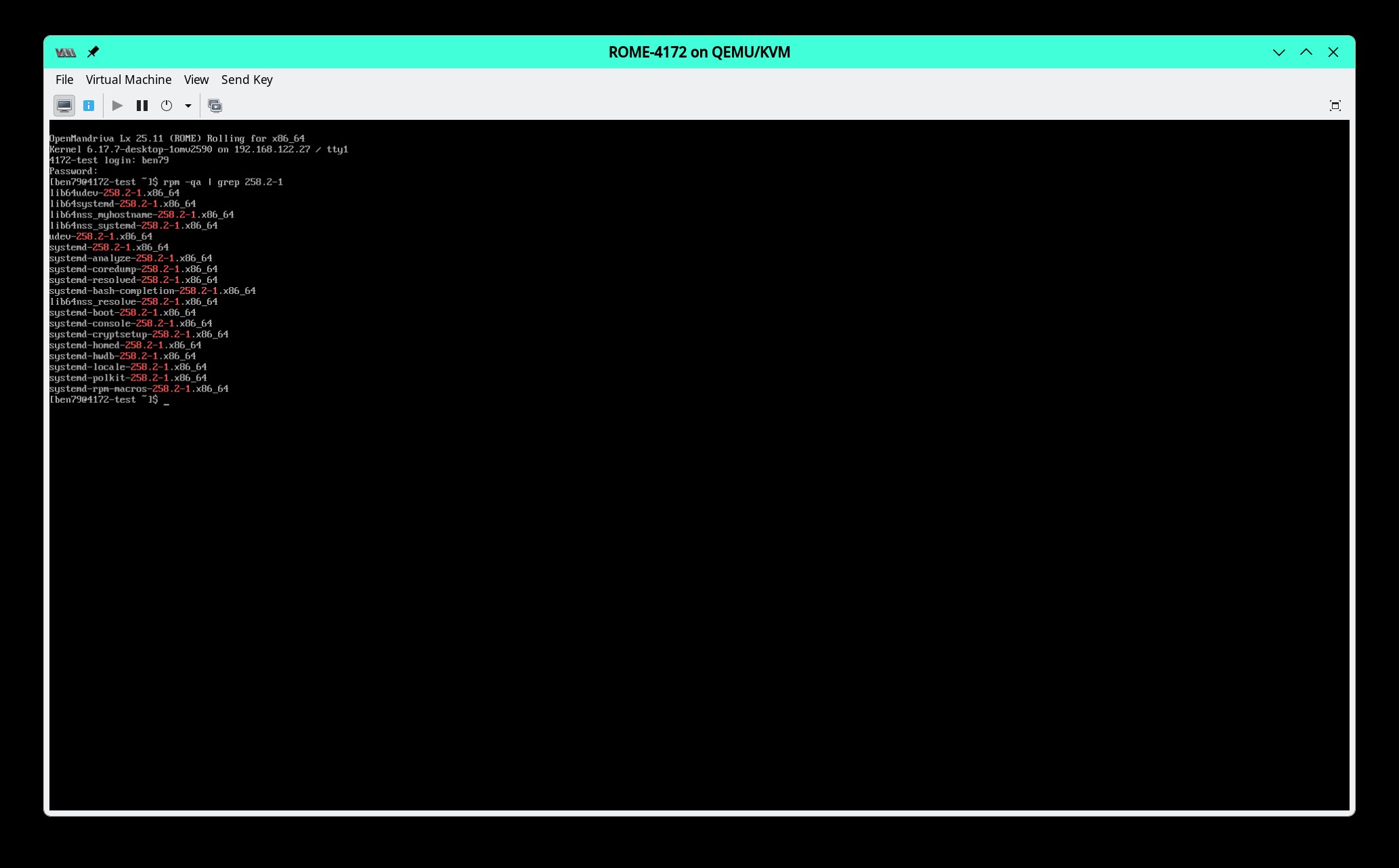
rpm -qa | grep 258.2-1
Should look like this, I believe 19 packages total:
Next run:
sudo systemctl enable sddm
Then type:
reboot
And see if graphical boot works now. If that did not work you could sudo dnf reinstall <package_name> all the packages in the systemd` stack.
I hope this was helpful.