Credits: @eepardaku
here: How to install TeamViewer in ROME
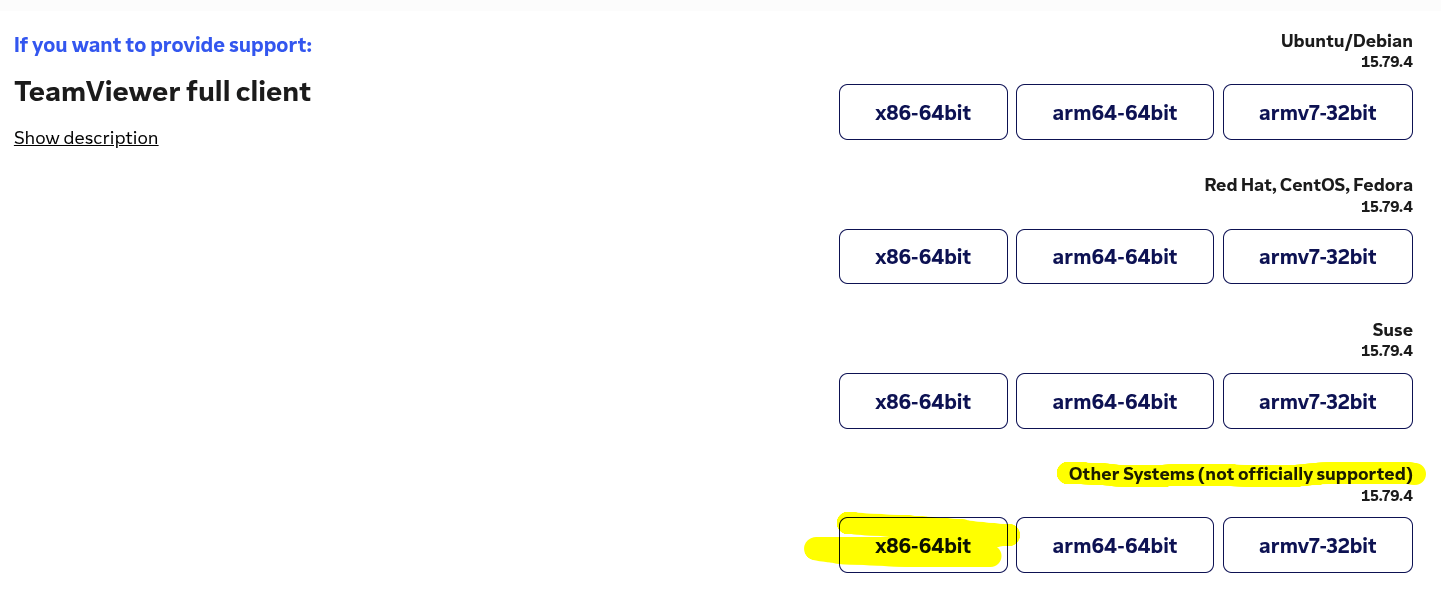
- Go to TeamViewer and download the x86-64bit package from the “Download the latest tar file” from the section named TeamViewer full client and the package type is “Other Systems”
https://www.teamviewer.com/en-us/download/portal/linux/
-
Open a console window and go to the directory where you saved the tar file.
Runtar -xvf \[filename of downloaded tar file\]to untar the file.
It will automatically create a subdirectory of “teamviewer” for you. -
cd into the “teamviewer” subdirectory. Run
./tv-setup checklibsto check that all necessary libraries are installed.
(You may need to install QT Quick Controls.
Do this by runningsudo dnf install qt5-qtquickcontrols). -
Assuming all libraries are present, test that TeamViewer will run on your system with the command
QT_QPA_PLATFORM=xcb ./teamviewer.
If TeamViewer launches, you can then move on to install TeamViewer. -
Close TeamViewer if it is running from the previous step.
Install TeamViewer with the command./tv-setup install -
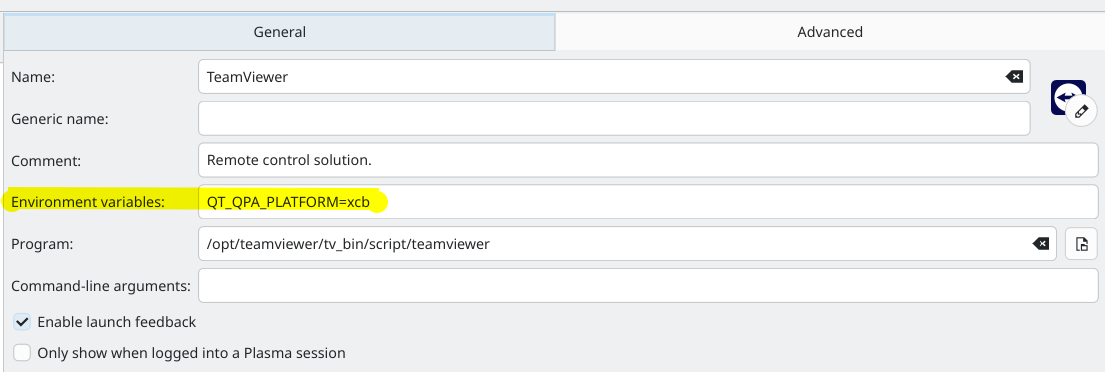
Once it’s installed you need to modify the entry in the Plasma launcher.
Find TeamViewer in the launcher, right-click it, then select Edit Application.
In the Environment Variables field paste inQT_QPA_PLATFORM=xcblike this:
- Save the change.
Now you should be able to launch TeamViewer using the Plasma launcher.