The first step in trying an unfamiliar computer operating system is to read the Release Notes. I know a lot of people don’t do this, but that does not make not reading a good idea. OK, so you have read that already, great, let’s get started:
No one can answer that without you providing more information. How old is your system, what version of ROME did you install, Plasma6 desktop or other, ect. Basically the information requested in the Support forum template that you did not fill out. But I’ll try to answer anyway.
Technical approach: Look in /var/log/dnf.log. If you use the find function in Kate you can find out what dnf transaction did this. Depending on how old your system is you may have multiple dnf.logs. The older ones will be numbered like dnf.log.x.
This may be related to a bug we has some time back that is discussed here.
You can not uninstall a kernel that is in use. You need to boot in to an older kernel.
If you have to ask this question then the answer if yes.
The double password thing happens with some things. This has been pointed out a gazillion time including by me. We are a small group with limited developer time. We need more people “fixing” until that happens things like this just are.
You don’t accidentally “wind up” on a kernel-rc something had to have been done by you or been done during a "dnf dsync --refresh` transaction (due to some bug) and you did not notice it. But I can assure the information was there to be seen.
I hope this information is in some way helpful. Whether it is good or bad is irrelevant the fact is that for new users whether coming from Windows, Apple, or some other Linux distro, OMLx does require some getting used to.
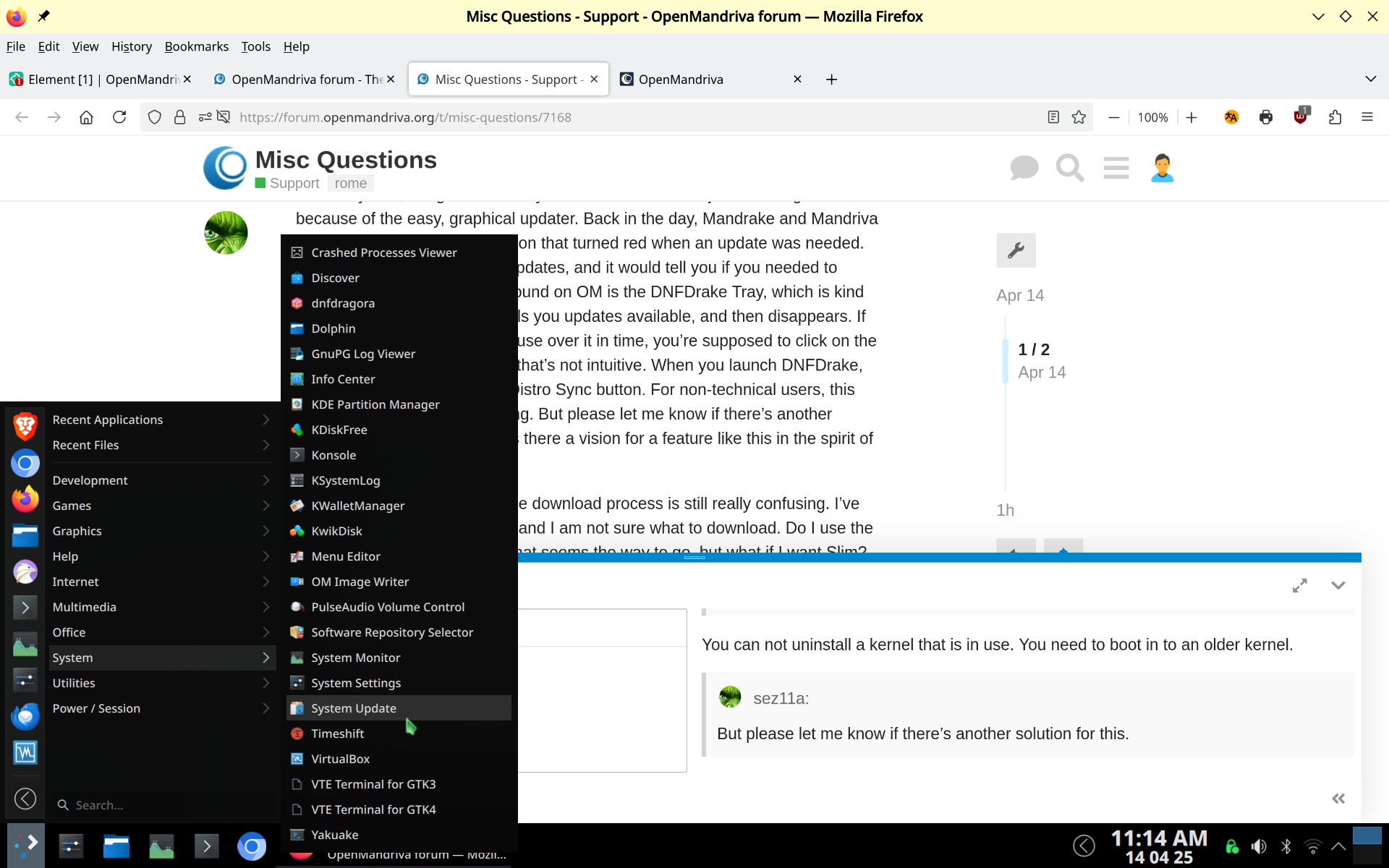
Edit: Recommended method to upgrade ROME systems is to ues the System Update utility in the screen-shot above or do this from Konsole with the command sudo dnf dsync --refresh --allowerasing. The System Update utility can also be found in OM-Welcome. dnfdrake does a good job of that as well.